Overview
The EtechRU Learning Hub provides administrators with a centralized environment to manage company information, users, courses, and learning activities.
Through the QEval integration, administrators can access the Learning Hub directly from QEval and perform administrative activities based on their assigned permissions.
The administrator dashboard provides three primary management sections: Companies, Users, and Courses, each offering dedicated functionalities to support learning administration.
Accessing the Learning Hub
Follow these steps to access the Learning Hub as an administrator:
- Log in to the QEval platform.
- Navigate to the Learning Hub option from the left navigation menu.
- Click Learning Hub to launch the integrated Learning Hub.
- The system validates your account and assigned role.
- Upon successful validation, the Learning Hub opens with the administrator permissions associated with your account.
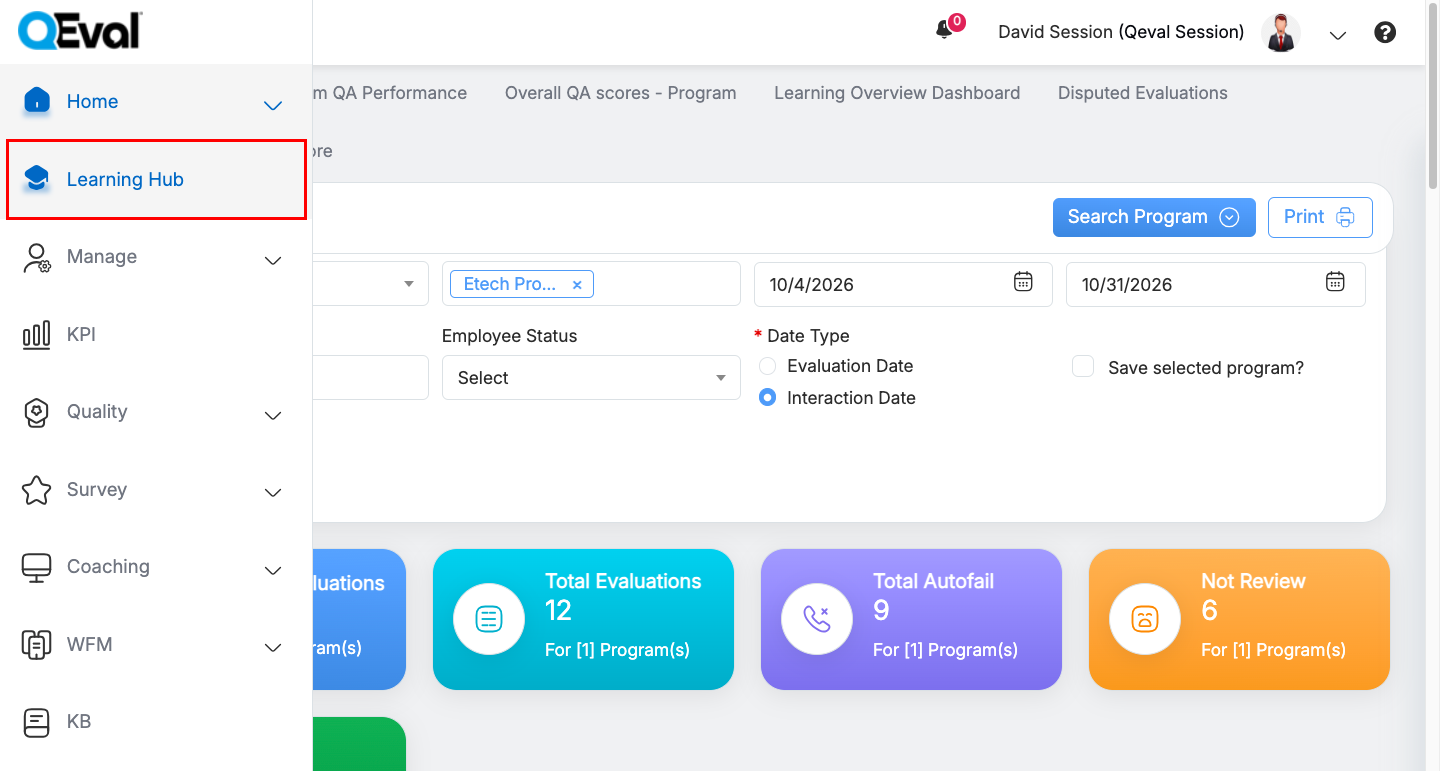
Learning Hub Navigation
Note: Administrators are automatically authenticated through the QEval integration. A separate Learning Hub login is not required.
Administrator Dashboard
The administrator dashboard provides access to different management functionalities through three primary tabs:
- Companies
- Users
- Courses
Each tab provides a set of administrative options to manage the corresponding area of the Learning Hub.
1. Companies
The Companies section provides access to company-level configuration and management functionalities.
The available options include:
| Option | Description |
|---|---|
| Edit Company | Manage and update company information and related settings. |
| Manage Departments | Manage organizational departments and their associated configurations. |
| Optional Profiles | Manage optional profile-related configurations. |
| Email Templates | Manage email templates used within the Learning Hub. |
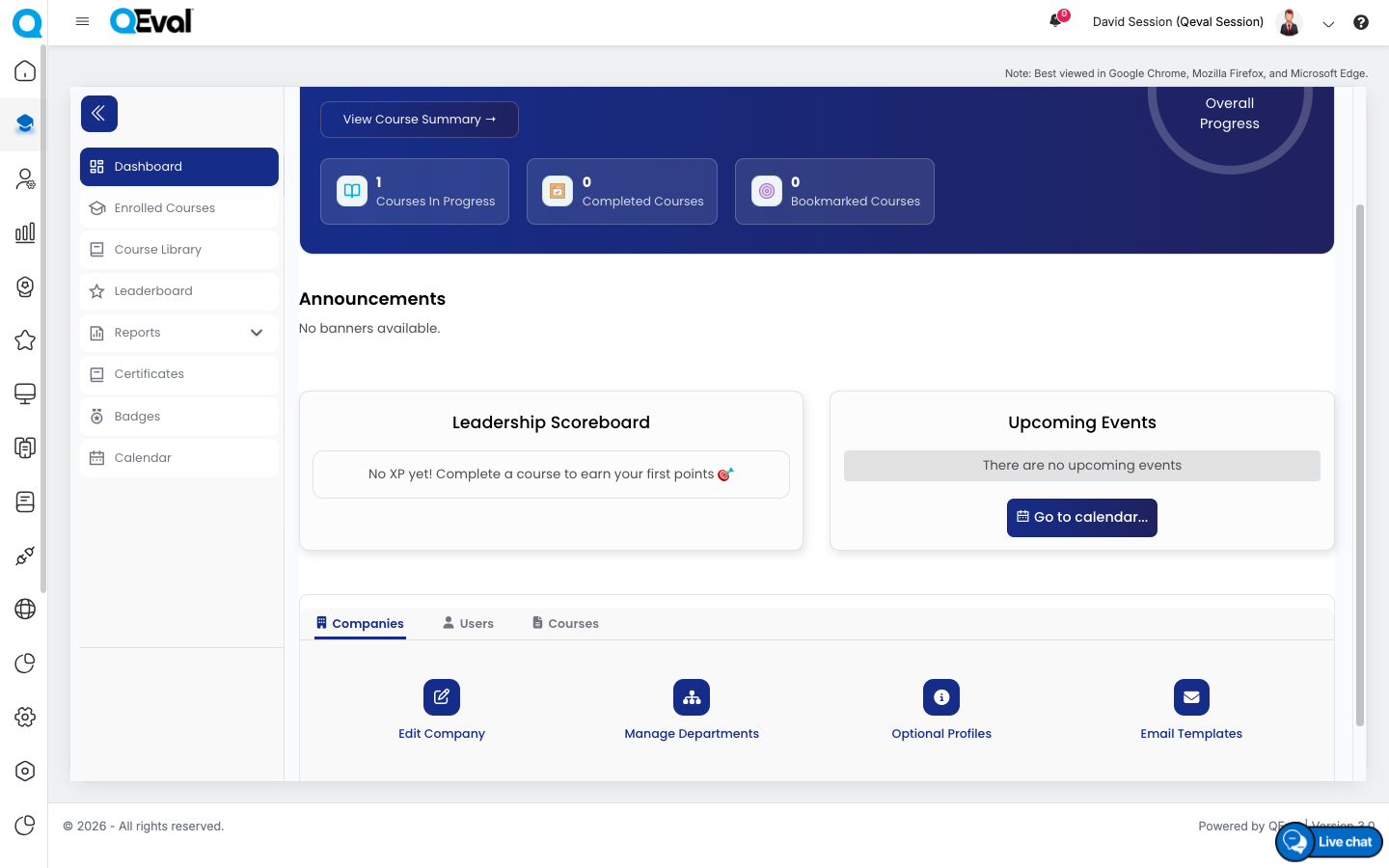
Admin : Company Management Tab
2. Users
The Users section provides access to user administration and management functionalities.
Administrators can use the available options to manage user accounts, maintain user information, and oversee user-related activities.
The available options include:
| Option | Description |
|---|---|
| Create User | Create user accounts within the Learning Hub. |
| Edit Users | Update existing user information. |
| Department Users & Managers | Manage users and managers associated with departments. |
| Upload Users | Upload user information in bulk. |
| User Bulk Download | Download user information in bulk. |
| Approve Training Events | Manage the approval of training events. |
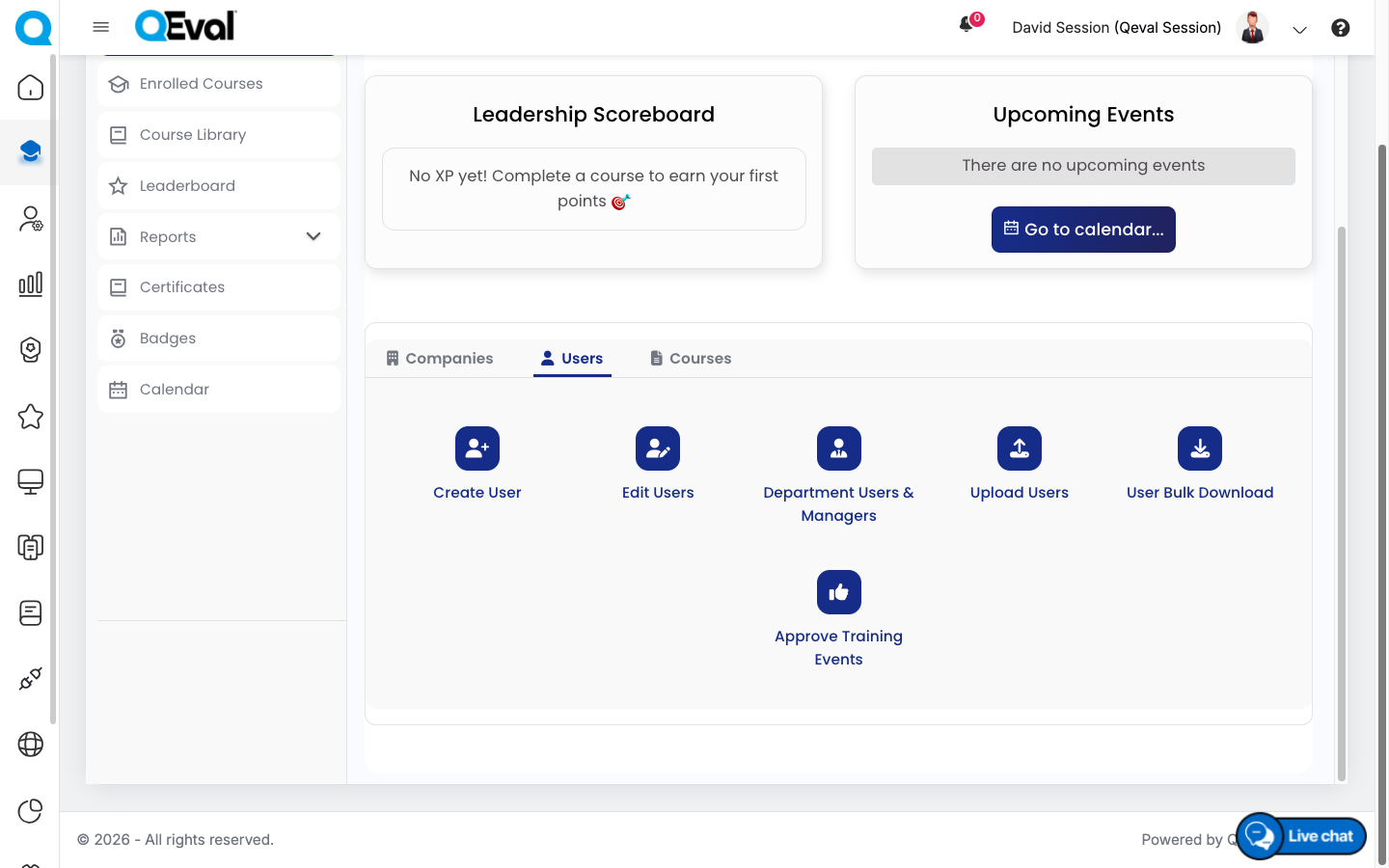
Admin : Users Tab
3. Courses
The Courses section provides access to course administration, enrollment management, and learning program configuration.
Administrators can use the available options to organize learning resources and manage how courses are assigned and delivered.
The available options include:
| Option | Description |
|---|---|
| Create Course | Create and configure learning courses. |
| User Enrollments | Manage user enrollments in available courses. |
| Manage Company Groups | Manage company groups used for learning administration. |
| Assign Course Groups | Assign courses to the relevant course groups. |
| Learning Paths | Manage structured learning paths for users. |
| SCORM Management | Manage SCORM-based learning content. |
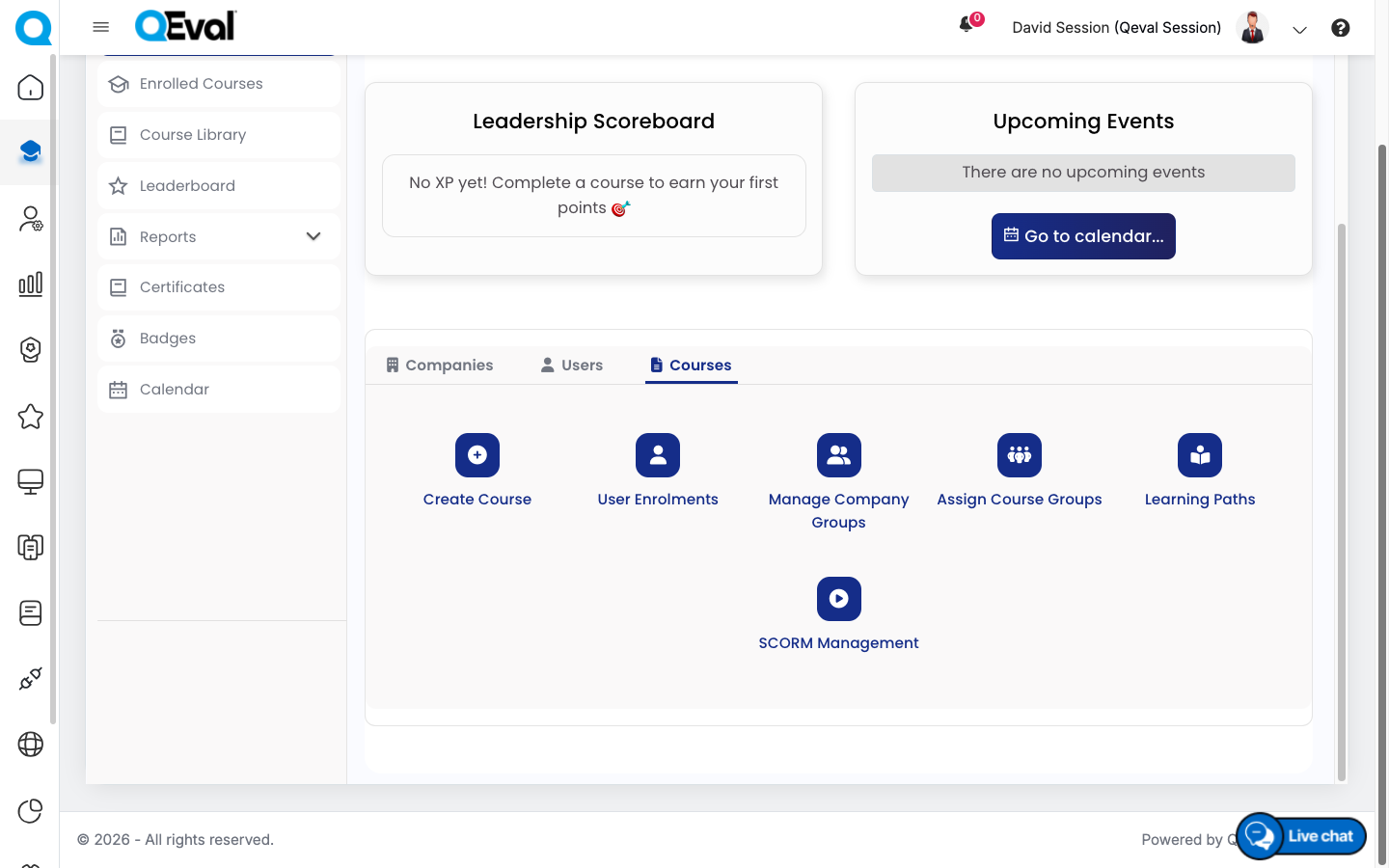
Admin : Courses Management Tab
Role-Based Access Management
The Learning Hub supports two roles:
| Role | Access |
|---|---|
| Administrator | Manage company settings, users, courses, enrollments, learning content, and available administrative functionalities. |
| Learner | Access courses, complete learning activities, view certifications and badges, and access available learning reports. |
When a user’s role is updated in either system, the change is synchronized during the next Learning Hub launch.
Important Notes
- Administrator functionalities are available based on the role and permissions assigned to your account.
- User provisioning and profile synchronization are handled automatically through the QEval integration.
- Existing user accounts are updated rather than duplicated.
- Administrators can access only information permitted for their assigned client or tenant.
- The availability of specific management options may depend on the Learning Hub configuration.
Detailed Administration Guide
This article provides an overview of the administrative capabilities available within the integrated Learning Hub.
For detailed, step-by-step instructions on managing companies, departments, users, courses, enrollments, learning paths, SCORM content, and other administrative settings, refer to the [EtechRU Portal Knowledge Base – Administrator Guide].
Video