Table of Contents
- Introduction
- Before You Begin
- How the Process Works
- Evaluation Screen Visibility
- Supervisor-Initiated Dispute Flow when Team Review is Enabled
- Benefits of Question-Based Disputes
- Summary
Introduction
When Question Based Dispute Enabled is turned on for an active evaluation form, disputes are managed at the parameter level instead of treating the entire evaluation as a single dispute.
This workflow allows Supervisors and QA Supervisors to review and resolve only the questions that are disputed. Each disputed parameter can be individually accepted or rejected, allowing both full and partial dispute resolutions.
The workflow also provides better visibility of disputed questions within the evaluation screen and improves dispute tracking through the Dispute Summary Report. When the Team Review feature is enabled, supervisor-initiated disputes are routed through the appropriate review process.
Overall, the question-based dispute workflow provides a more accurate, transparent, and efficient way to review and resolve evaluation disputes.
Before You Begin
Ensure that Question Based Dispute Enabled is turned on for the active evaluation form.
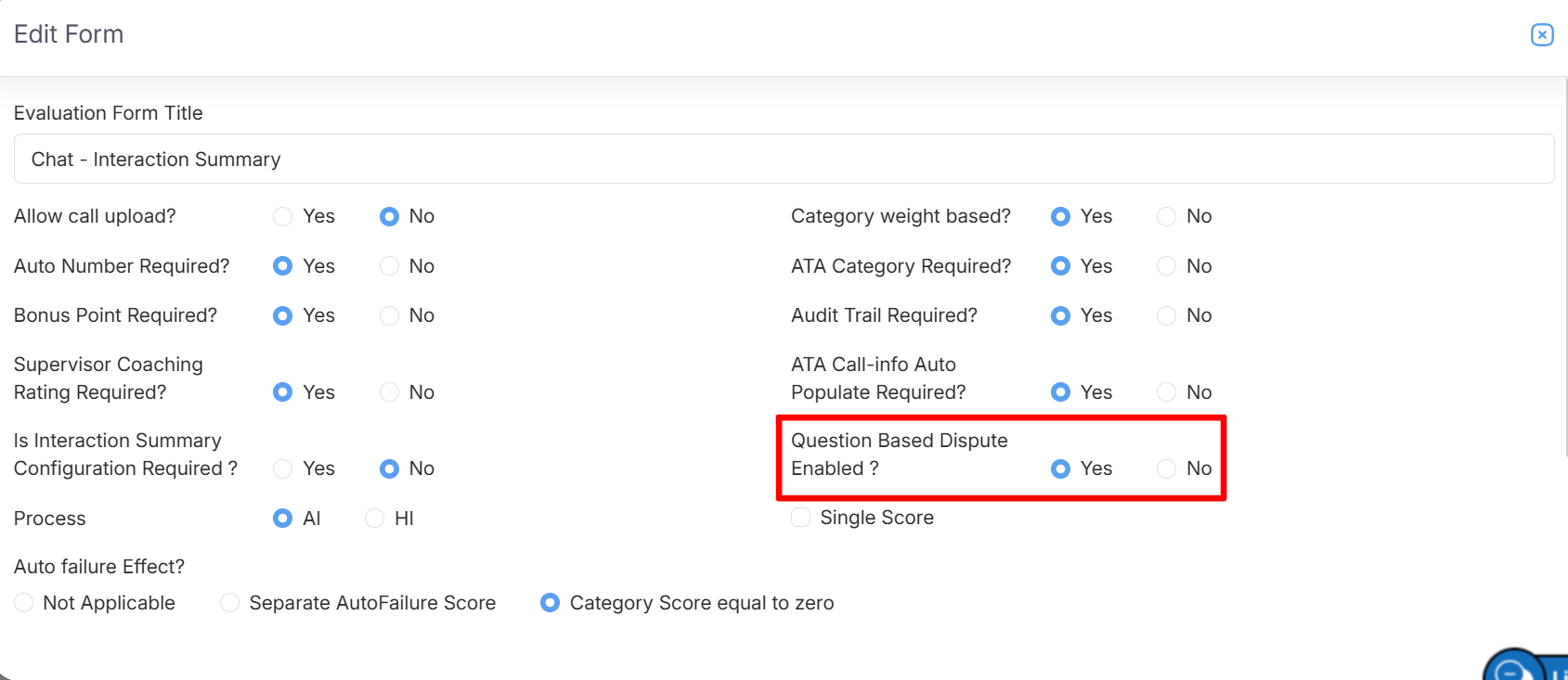
Question Based Dispute Enabled
Once enabled, disputes can be raised and processed at the parameter level.
How the Process Works
1. Agent Raises a Dispute
When an agent selects the Dispute radio button in the evaluation form, a parameter-level checkbox is displayed for each question.
The agent can select the checkbox for each parameter they want to dispute. Once a checkbox is selected, the Dispute Comment field appears, allowing the agent to enter the reason for the dispute.
After the dispute is submitted, the selected questions are recorded as parameter-level disputes and sent to the Supervisor for review.
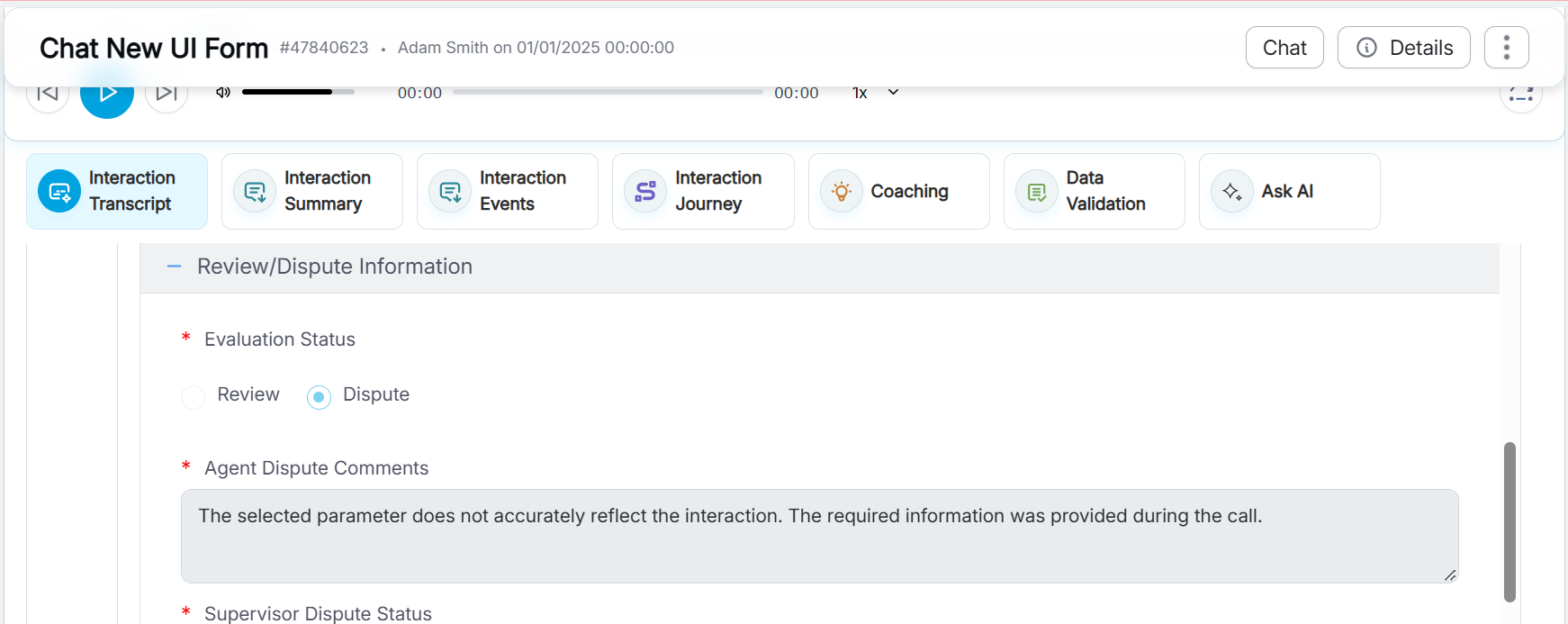
Evaluation Form: Agent raises a Dispute
2. Supervisor Reviews the Dispute
After the agent submits a dispute, the Supervisor can review the disputed evaluation and take the appropriate action.
By default, the Evaluation Disputes section displays the Dispute Summary. This section provides an overview of the dispute, including the total number of disputes raised by the agent, as shown in the image below.
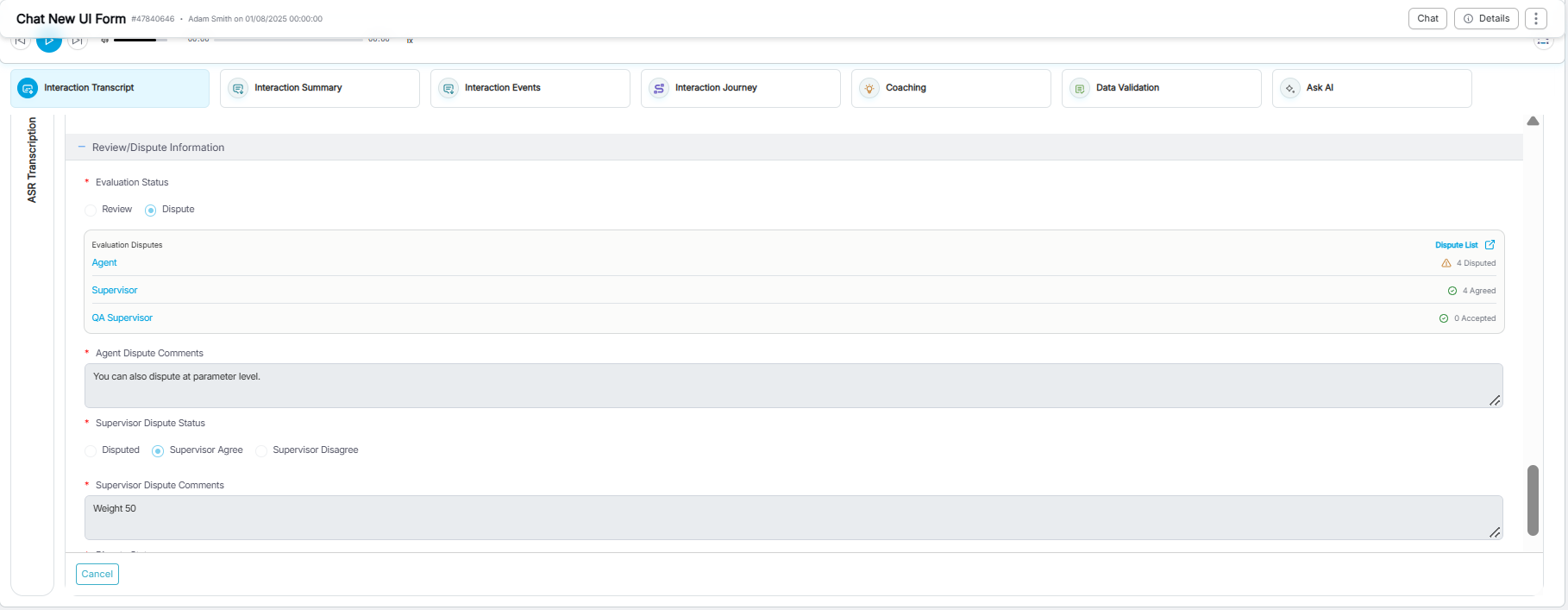
Supervisor reviews the dispute
To review the disputed parameters individually, click Dispute List at the top of the section. The Dispute List displays each disputed question along with the corresponding Agent Comments.
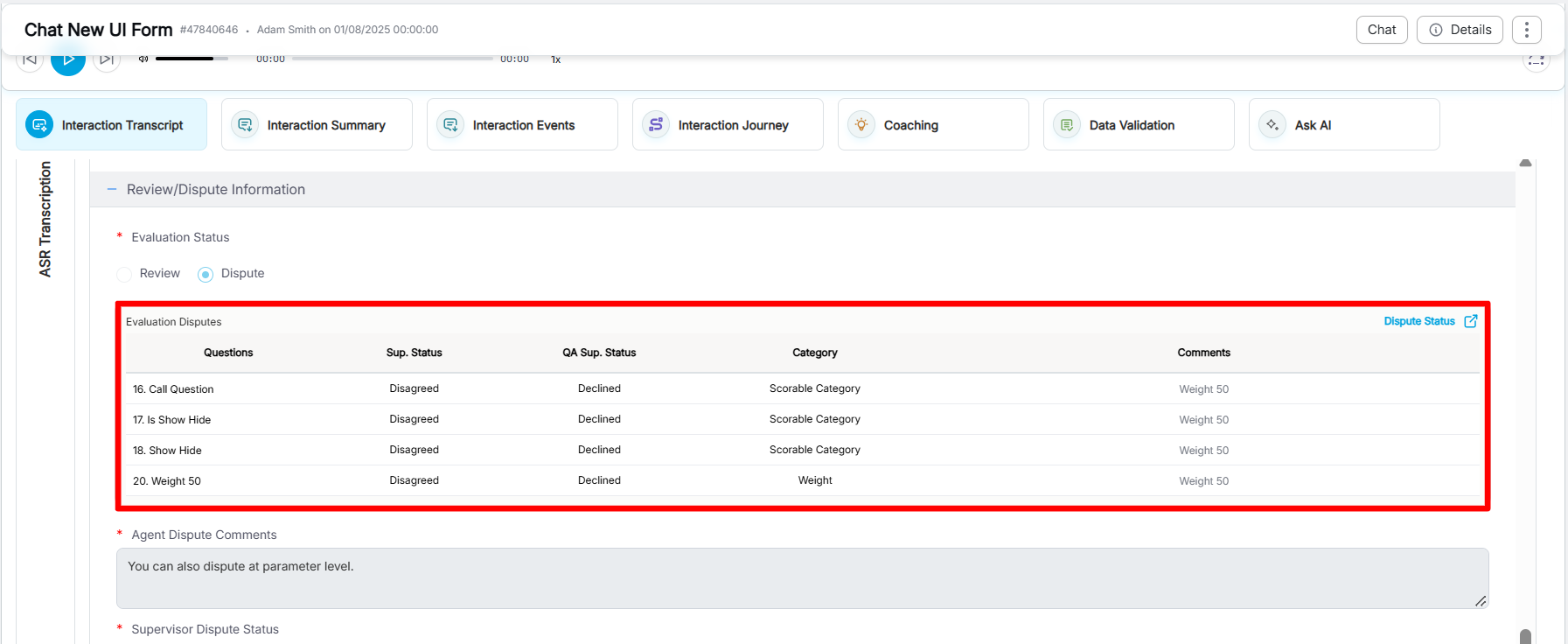
Dispute List
To review and resolve the dispute, the Supervisor must select the appropriate action:
-
Supervisor selects either Supervisor Agree or Supervisor Disagree.
-
If Supervisor Agree is selected:
- A checkbox is displayed next to each disputed parameter in the Dispute List.
- Select the parameters that the Supervisor agrees with.
- Select all disputed parameters to fully accept the dispute.
- Select only specific disputed parameters to partially accept the dispute.
- Enter the required Supervisor Dispute Comment.
- Click Submit to submit the evaluation.
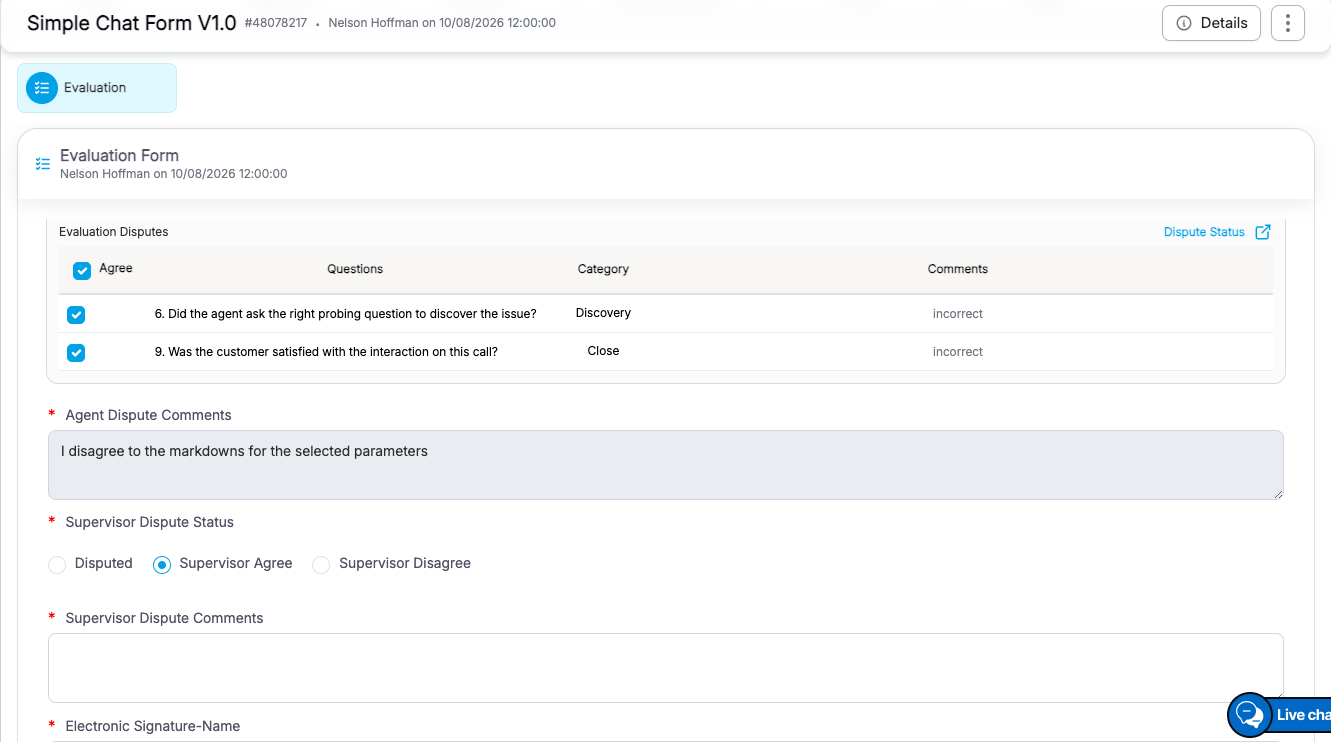
Supervisor Agree
-
If Supervisor Disagree is selected:
- All disputed parameters are rejected at the Supervisor level.
- Enter the required Supervisor Dispute Comment explaining the decision.
- Click Submit to submit the evaluation.
- The dispute is closed with the comments provided by the Supervisor.
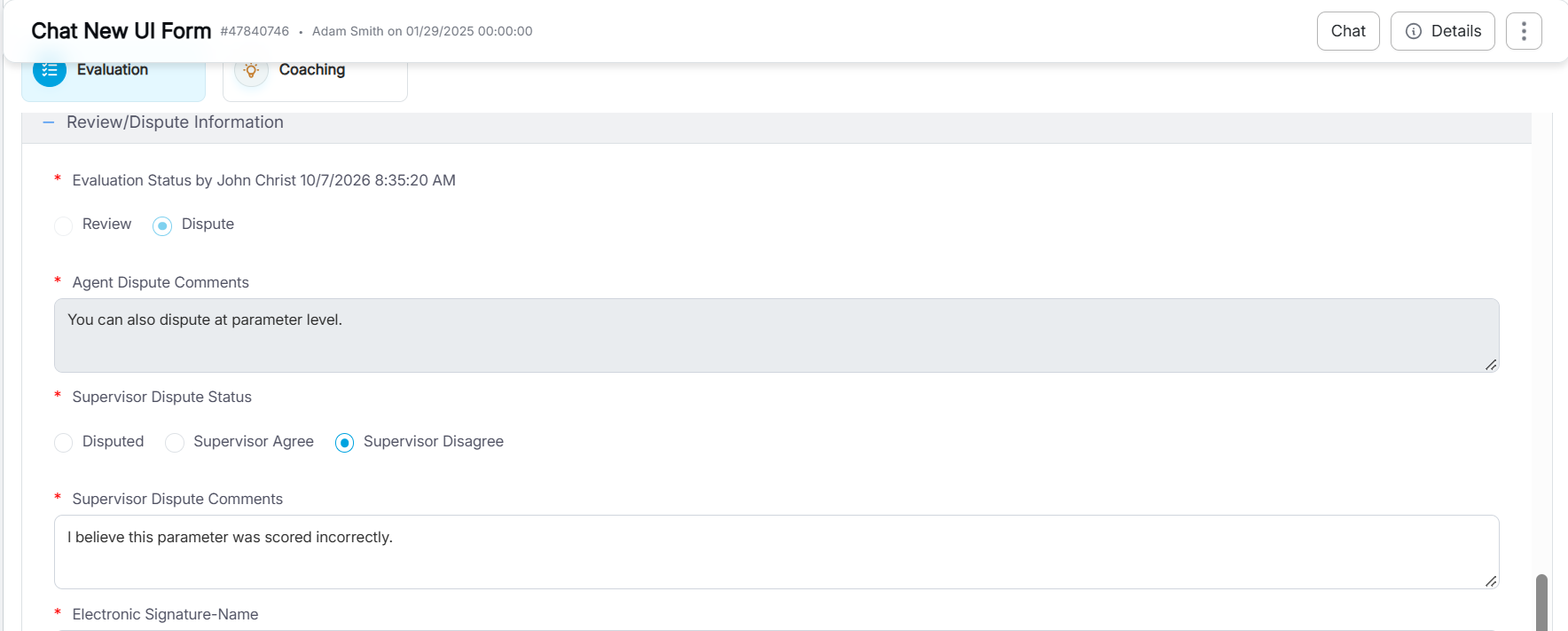
Supervisor Disagree
Note: The Dispute Summary is displayed by default in the Evaluation Disputes section. To review individual disputed parameters, click Dispute List at the top of the section.
3. QA Supervisor Reviews Forwarded Parameters
The QA Supervisor can take action only on the disputed parameters that were agreed to by the Supervisor.
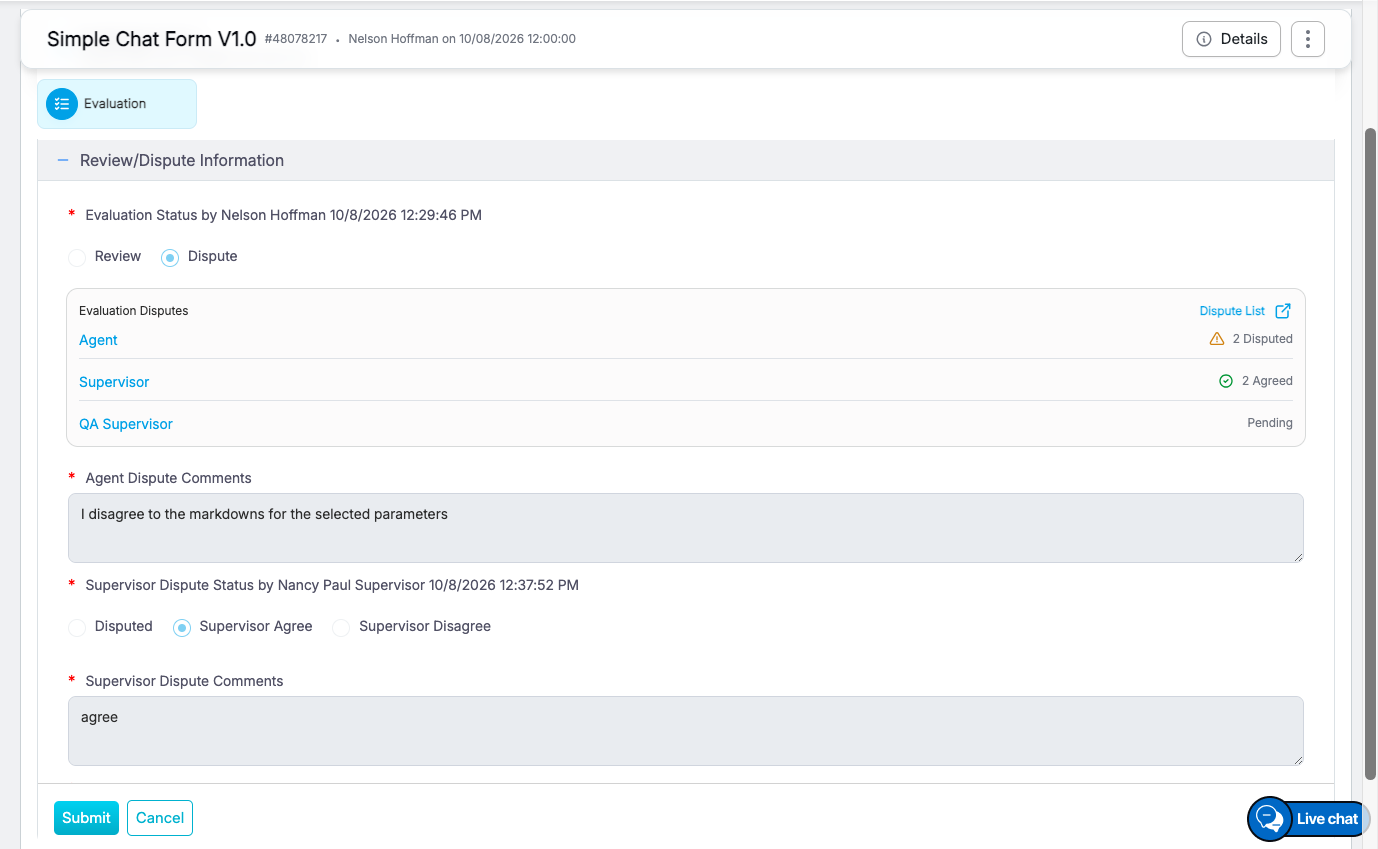
QA Supervisor Reviews Forwarded Parameters
When the QA Supervisor selects the QA Supervisor Accept radio button, a pop-up window appears displaying all disputed parameters. Checkboxes are available only for the parameters that were agreed to by the Supervisor.
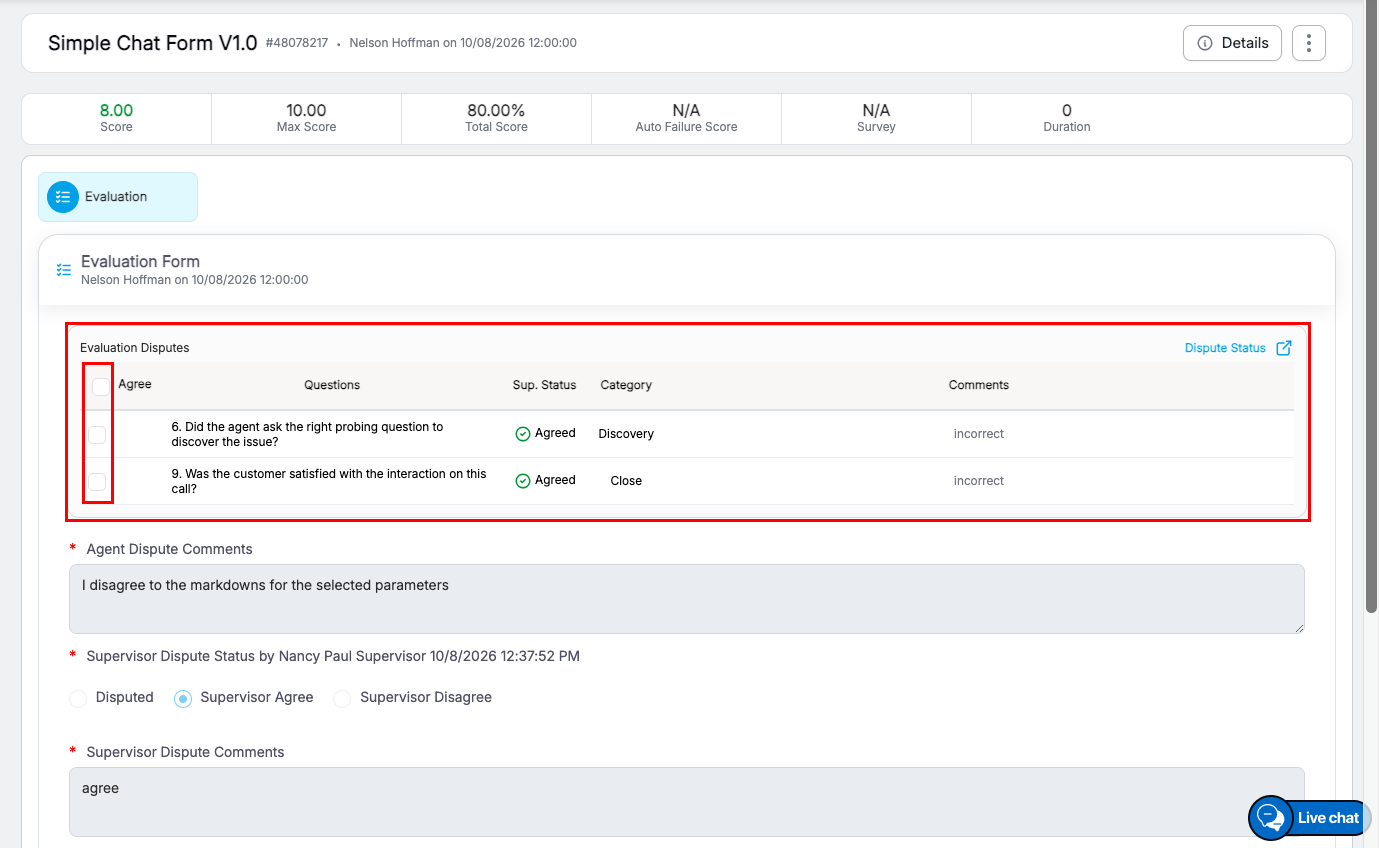
Select Parameters
In the Dispute List view, the QA Supervisor can complete the dispute review as follows:
- Review the disputed parameters.
- Select the checkboxes for the parameters to approve.
- Enter the required Evaluator Dispute Comments.
- Click Submit to complete the action.
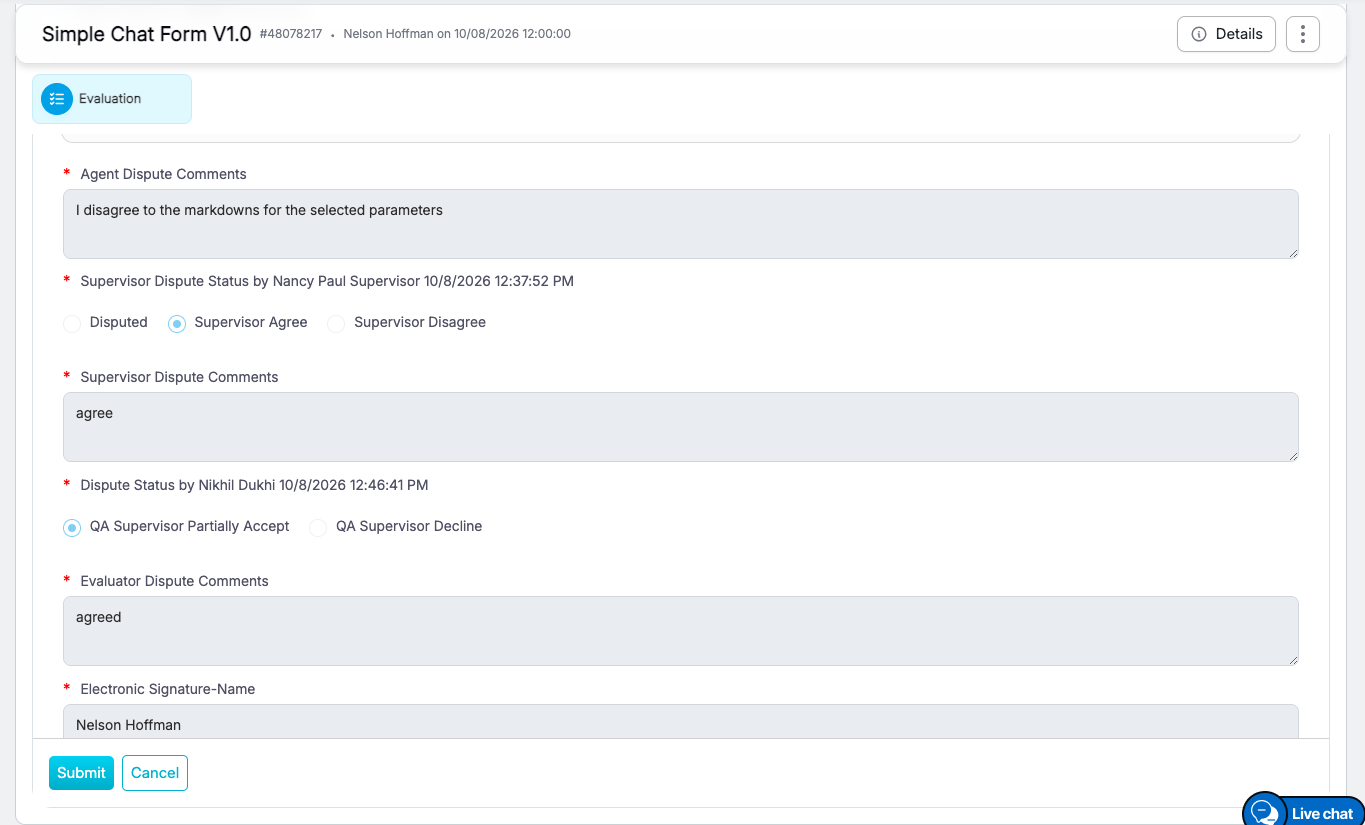
QA Supervisor Dispute Review
- Select all disputed parameters to mark the dispute as QA Supervisor Accept.
- Selecting only some of the disputed parameters to mark the dispute as QA Supervisor Partially Accept.
If the QA Supervisor selects the QA Supervisor Decline radio button, all disputed parameters are rejected at the QA Supervisor level.
Evaluation Screen Visibility
The Evaluation Disputes section provides a clear view of the dispute progress at each review level.
Users can view the following information:
- Agent – Number of disputes raised by the agent.
- Supervisor – Number of disputes agreed to or partially agreed to by the Supervisor.
- QA Supervisor – Number of disputes accepted or partially accepted by the QA Supervisor.
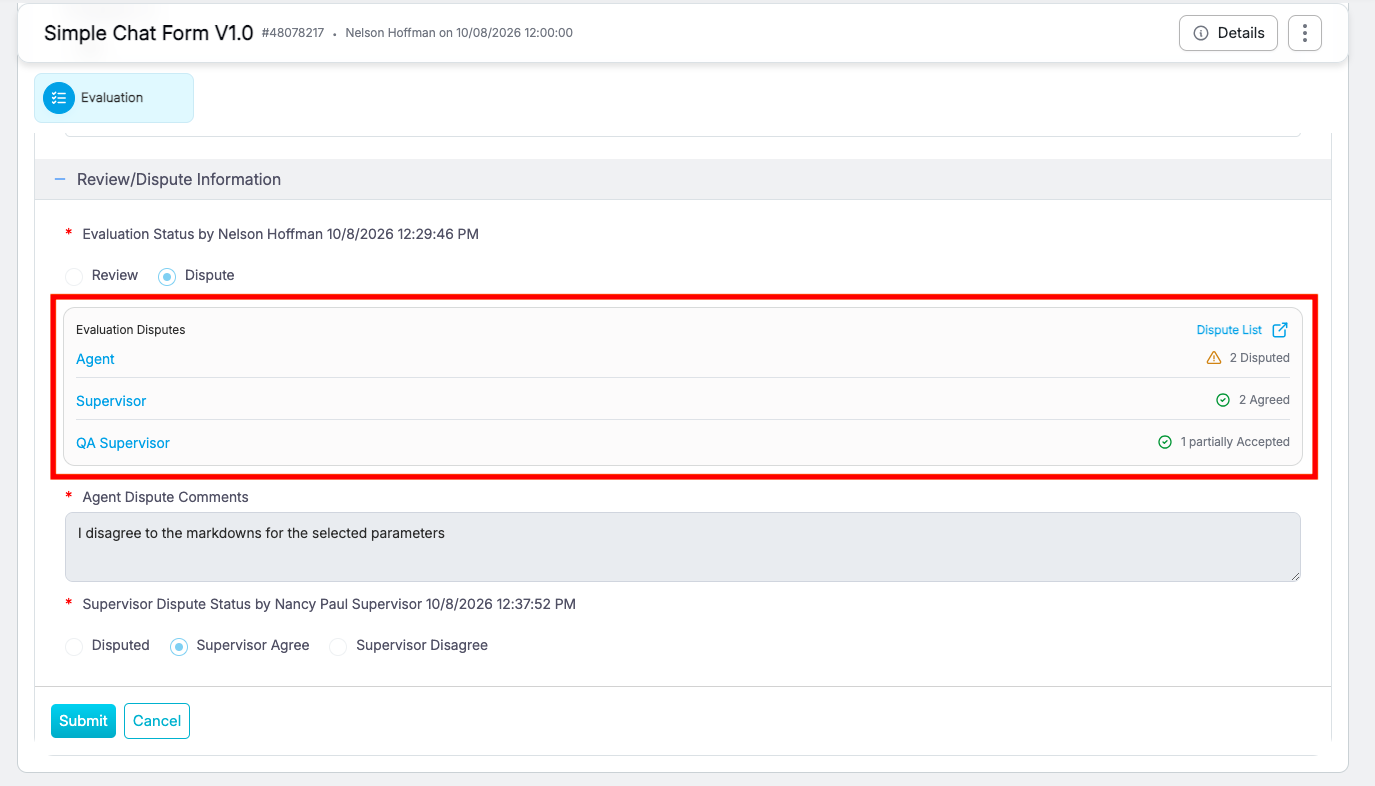
Evaluation Disputes
At any stage of the workflow, click Dispute List, as highlighted, to view the Dispute List. This list displays the details of each parameter-level dispute.
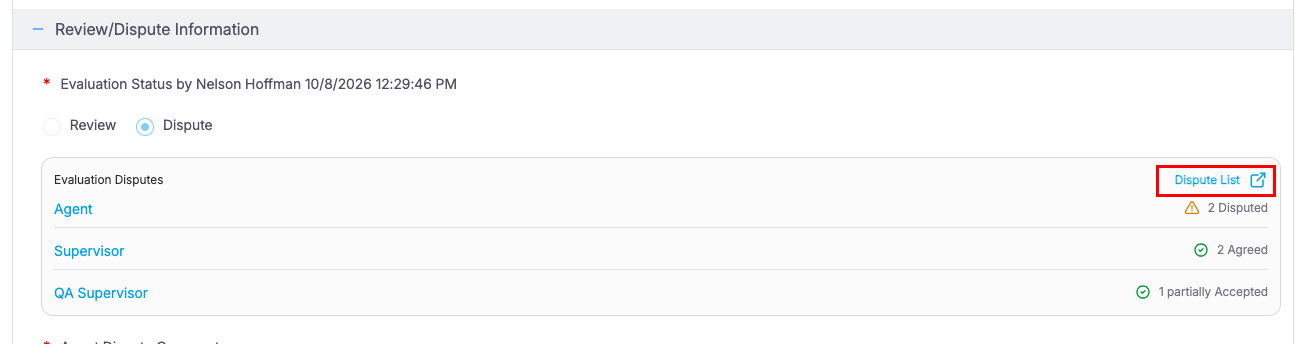
Dispute List
If the agent’s dispute has been reviewed by both the Supervisor and QA Supervisor, the Dispute List displays the decision taken for every disputed parameter:
- Supervisor: Agree, Partially Agree, or Disagree
- QA Supervisor: Accept, Partially Accept, or Decline
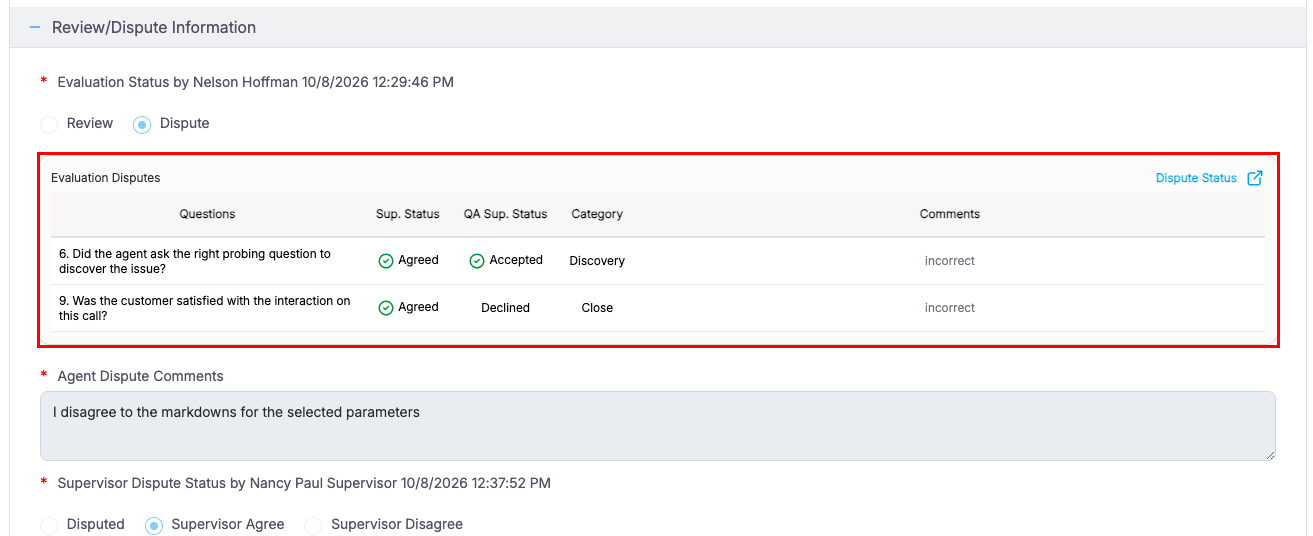
Evaluation Dispute Status
This provides a quick and clear view of the dispute’s progress through the workflow.
Supervisor-Initiated Dispute Flow when Team Review is Enabled
When the Team Review feature is enabled and a Supervisor raises a dispute on behalf of an Agent, a simplified dispute workflow is used.
In this scenario, the system automatically:
- Marks the dispute as Supervisor Agreed.
- Skips the Supervisor approval step.
- Routes the dispute directly to the QA Supervisor.
This streamlined workflow avoids redundant approval by the same role while maintaining the required review hierarchy.
Benefits of Question-Based Disputes
The question-based dispute workflow provides the following benefits:
- Improves dispute accuracy through question-level review.
- Increases transparency across multi-level dispute handling.
- Supports partial dispute resolution for greater flexibility.
- Reduces unnecessary manual review effort.
- Provides clearer visibility into dispute status and progression.
Summary
When Question-Based Disputes are enabled, disputes are handled at the parameter level, allowing only the disputed questions to move through the approval workflow.
This approach supports partial acceptance, improves review accuracy, increases transparency, and provides clear visibility into the dispute status throughout the review process.
Video