Table of Contents
Overview
The Bonus Point feature allows evaluators to assign scores that are higher or lower than the standard possible points for a question.
To use this functionality, Bonus Point must be enabled at both the form and question levels. The bonus option value must also be greater than the standard possible value assigned to the question.
Configure Bonus Points
- To assign a bonus point to the question, an Admin must select the Is Bonus Required? checkbox as shown in the below screen:
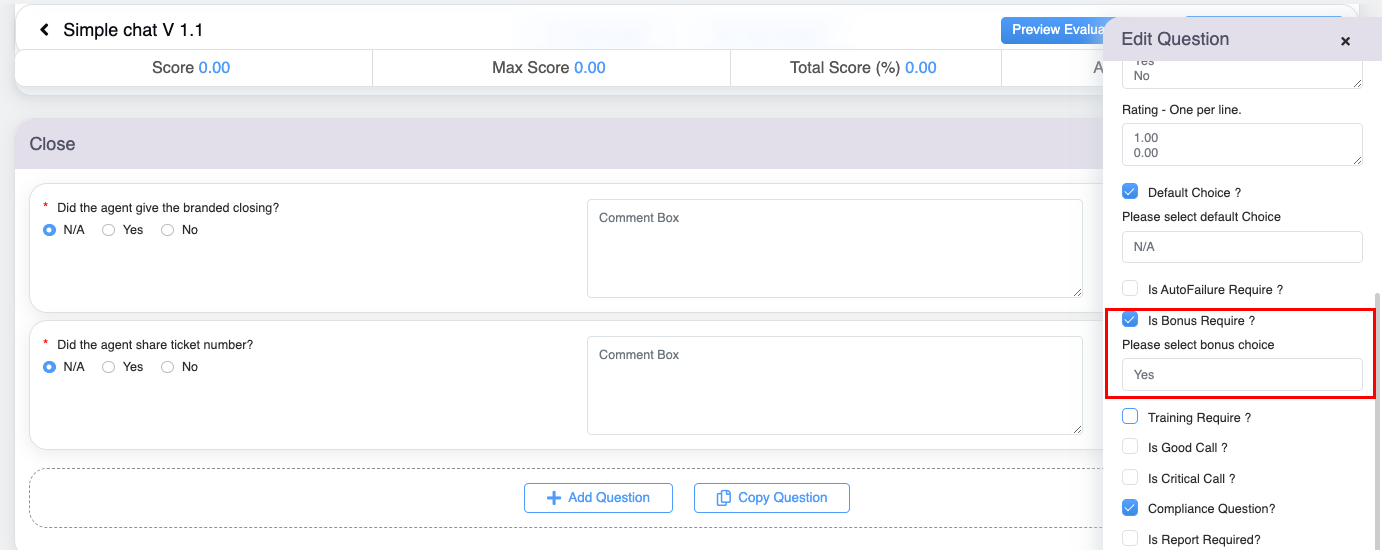
Edit Question Pop-up
- The form should be enabled with the Bonus point feature by selecting the Bonus Point Required?. This is as shown highlighted below:
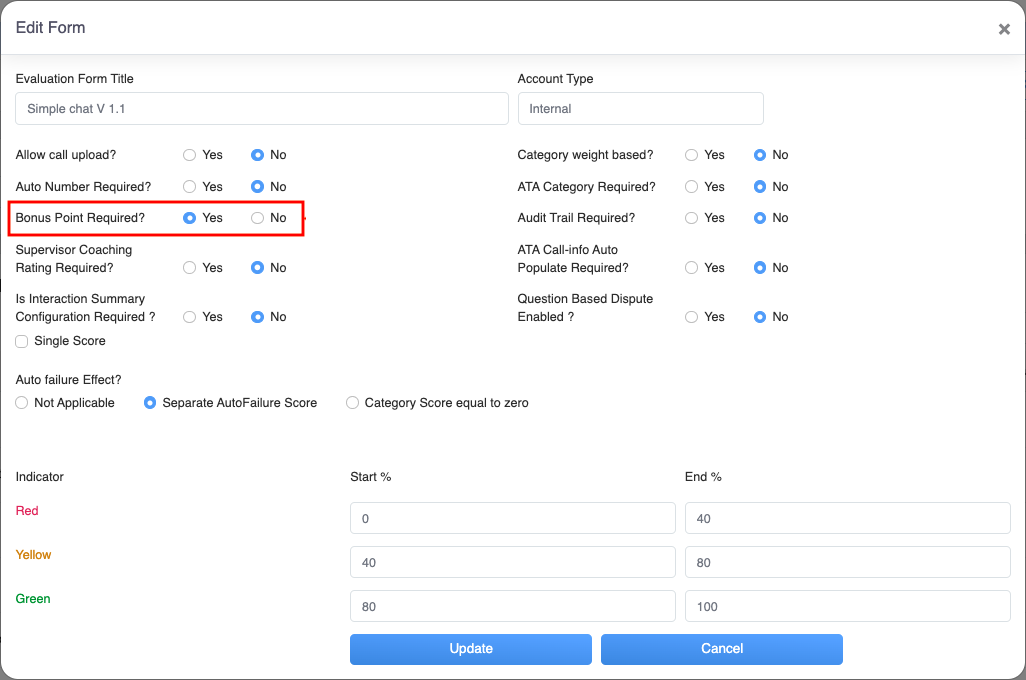
Edit Form
- Question and category should be scorable.
- Negative points are allowed in a form only for the question with the Bonus point feature.
- A question with a bonus point feature must include points more than the possible points in order to get a rating of over 100%.
- A question in a form cannot include bonus points and auto failure features together.
Video