Table of Contents
Introduction
The Work Allocation Group page allows users to create group of agents for work allocation. These groups help distribute work evenly among agents or assign work based on specific business requirements.
To access the Work Allocation Group feature, navigate to Manage > Work Allocation > Work Allocation Group. The Work Allocation Group page is displayed, as shown in the following screen.
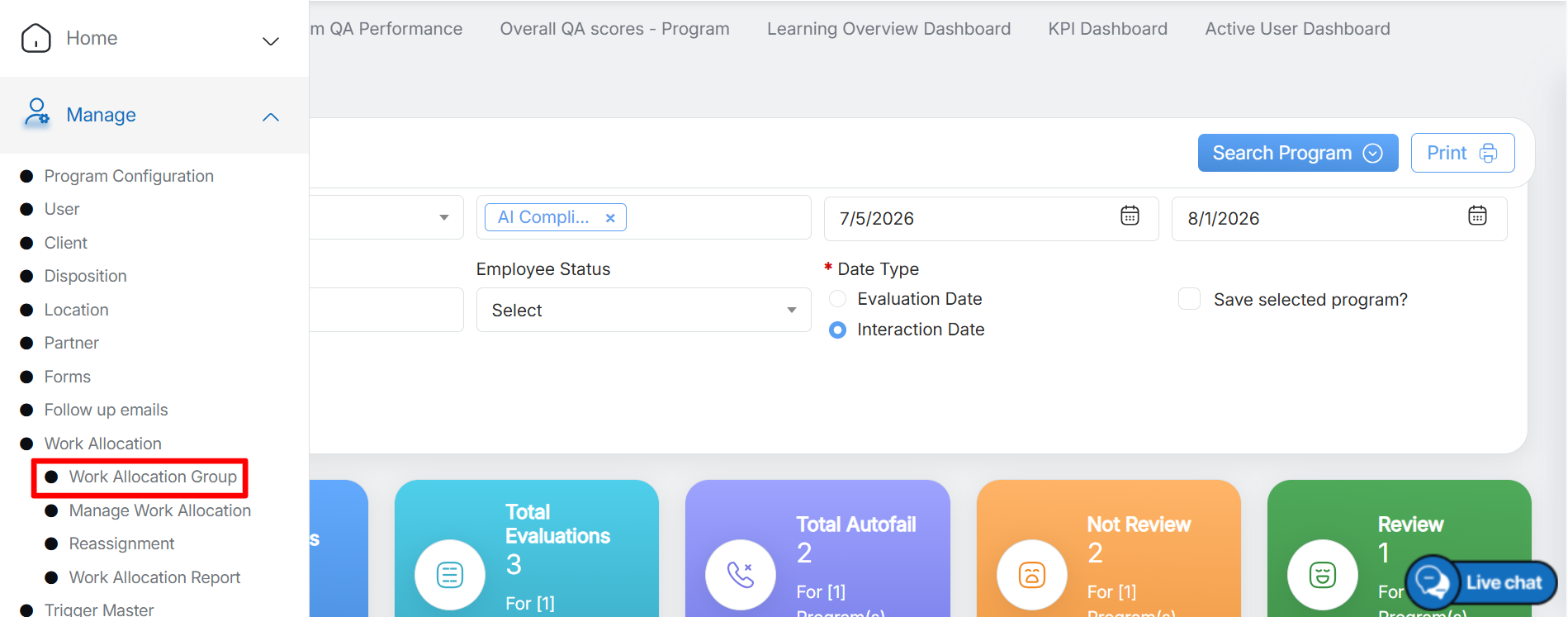
Work Allocation Group
The Work Allocation Group page is displayed, as shown in the following screen. The Work Allocation Group page displays a list of all existing work allocation groups.
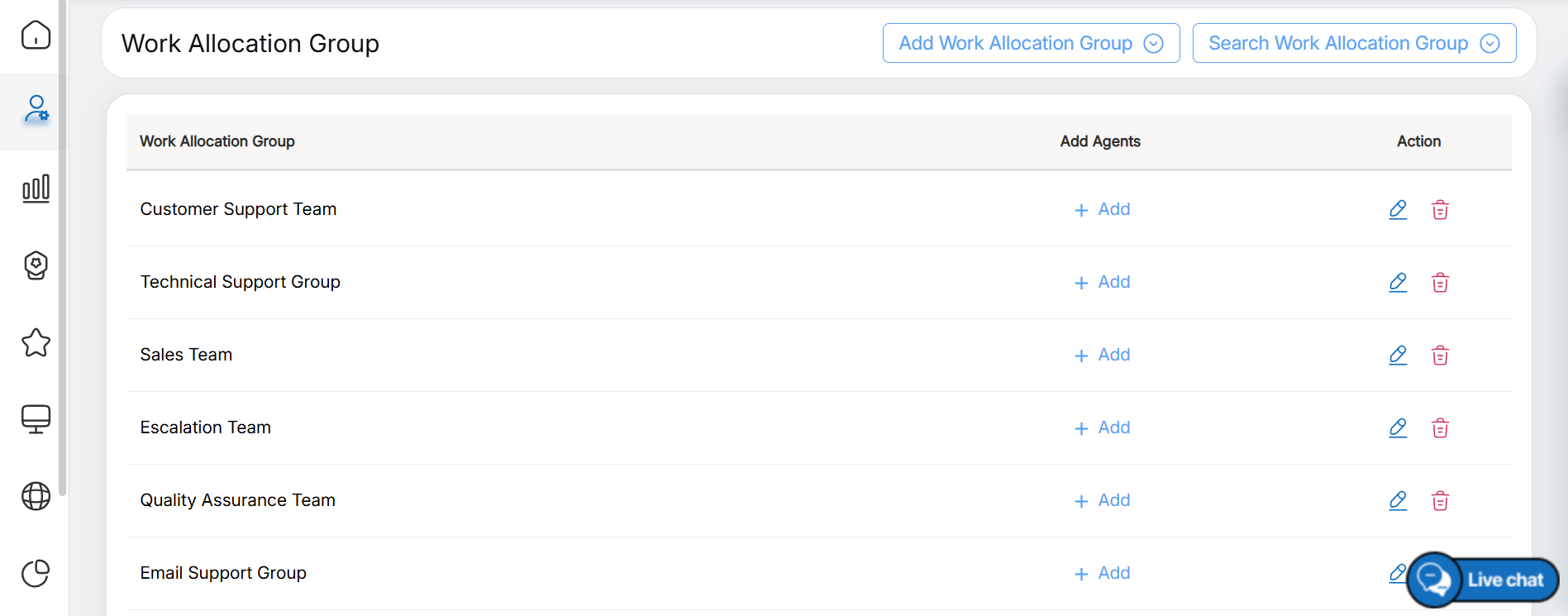
Work Allocation Group
The Work Allocation Group list displays the following information:
- Work Allocation Group: Displays the name of the work allocation group created for distributing work among agents.
- Add Agents: Allows users to assign agents to the selected work allocation group. For more information, refer to Add Agents.
- Action: Displays the available action icons:
- Edit: Allows you to modify the details of the selected work allocation group.
- Delete: Allows you to remove the selected work allocation group from the system. For more information, refer to Edit/Delete Work Allocation Group.
Video