Table of Contents
Introduction
The Leaderboard in QEval provides a visual comparison of agent performance based on customer survey feedback. It allows managers and stakeholders to easily view agent rankings, identify top performers, and compare performance within a selected client or program.
Accessing the Leaderboard
To view the Leaderboard, navigate to Survey → Survey Dashboard → Leaderboard from the main menu. The Leaderboard displays agent performance based on the selected filter criteria.
Filter panel
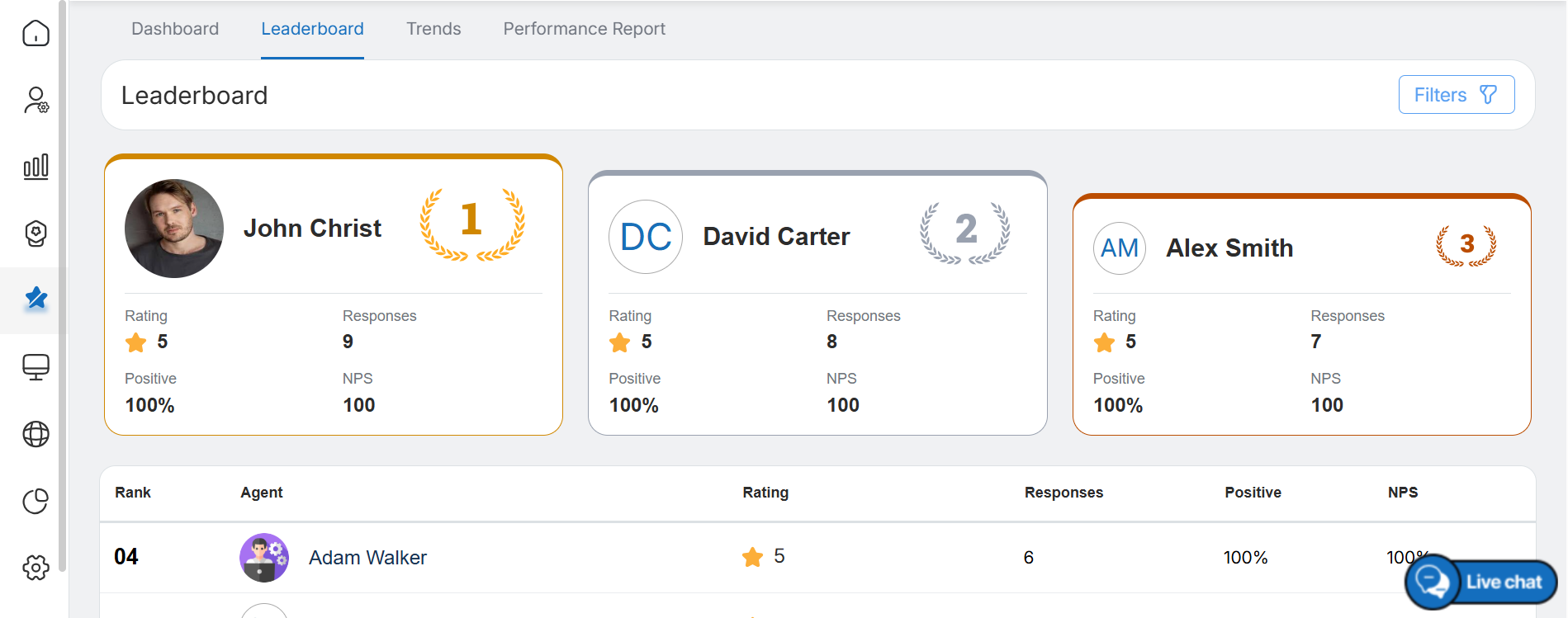
Use the Filters option in the top-right corner to refine the Leaderboard results. An agent can filter the results by Date Range, Agent, Supervisor, Client, Brand, Location, and Channel. For the Channel, select Email, SMS, or QR Code using the available checkboxes. After selecting the required filters, click Apply to view the updated results.
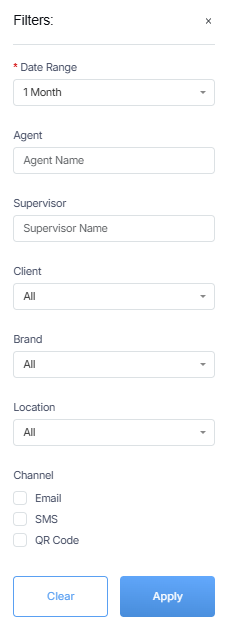
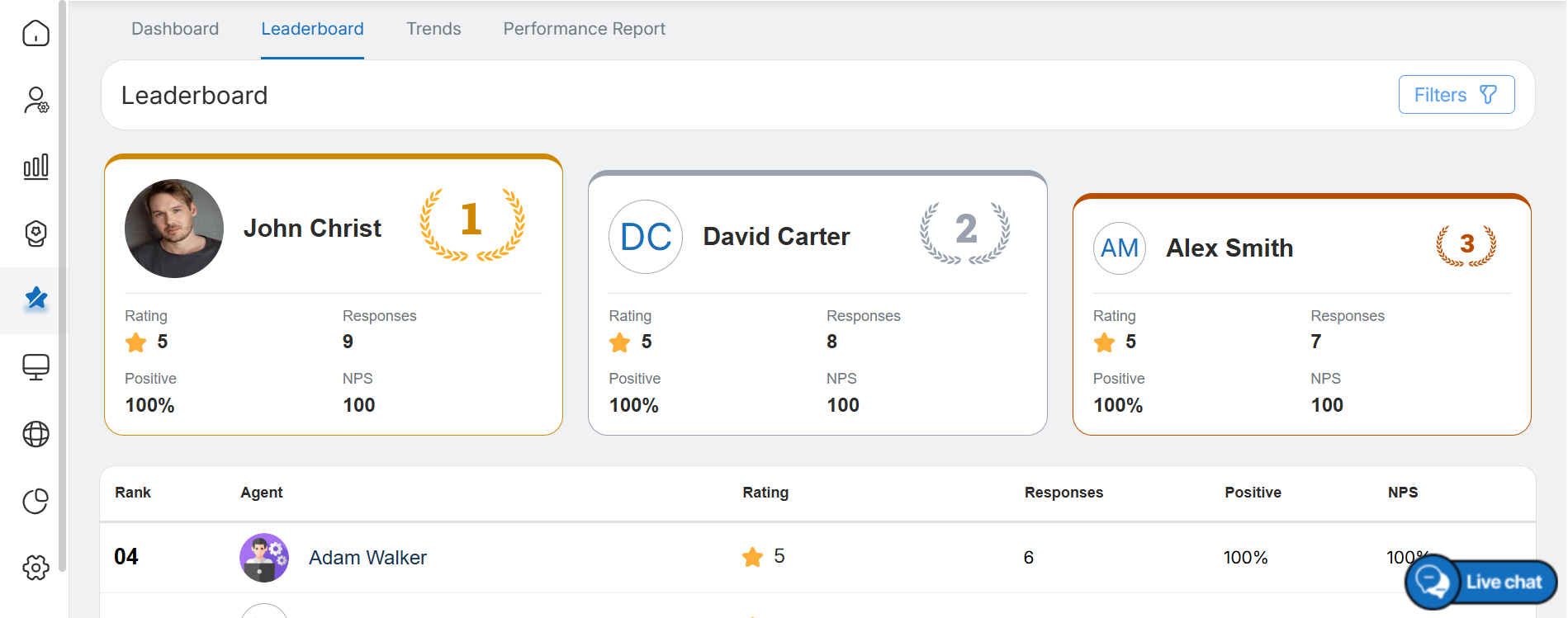
Leaderboard displays the Top 10 Performers
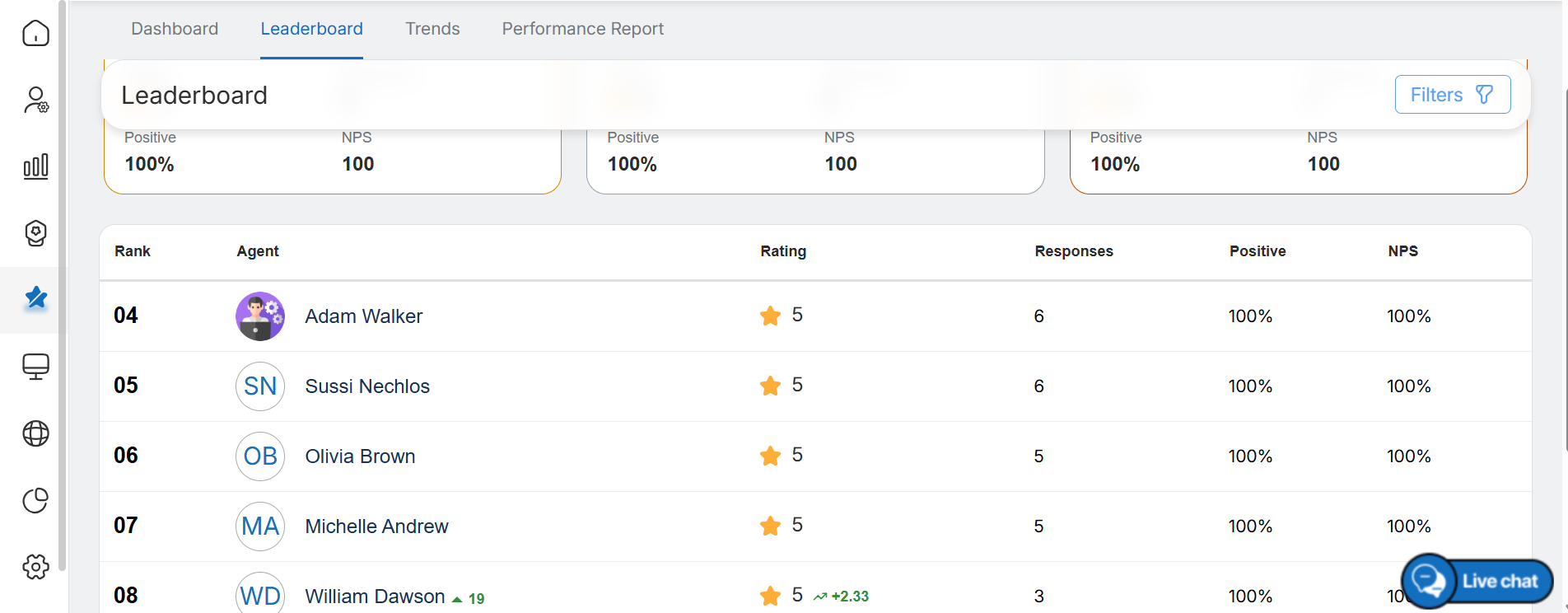
- Displays the top 10 performers based on the number of survey responses received within the selected date range and applied filters.
- Shows key details for each agent, including:
- Agent name
- Ranking
- Star rating
- Number of responses
- Positive feedback percentage
- NPS score
- Highlights the top three performers at the top using larger cards with brown, grey, and red border accents for quick identification.
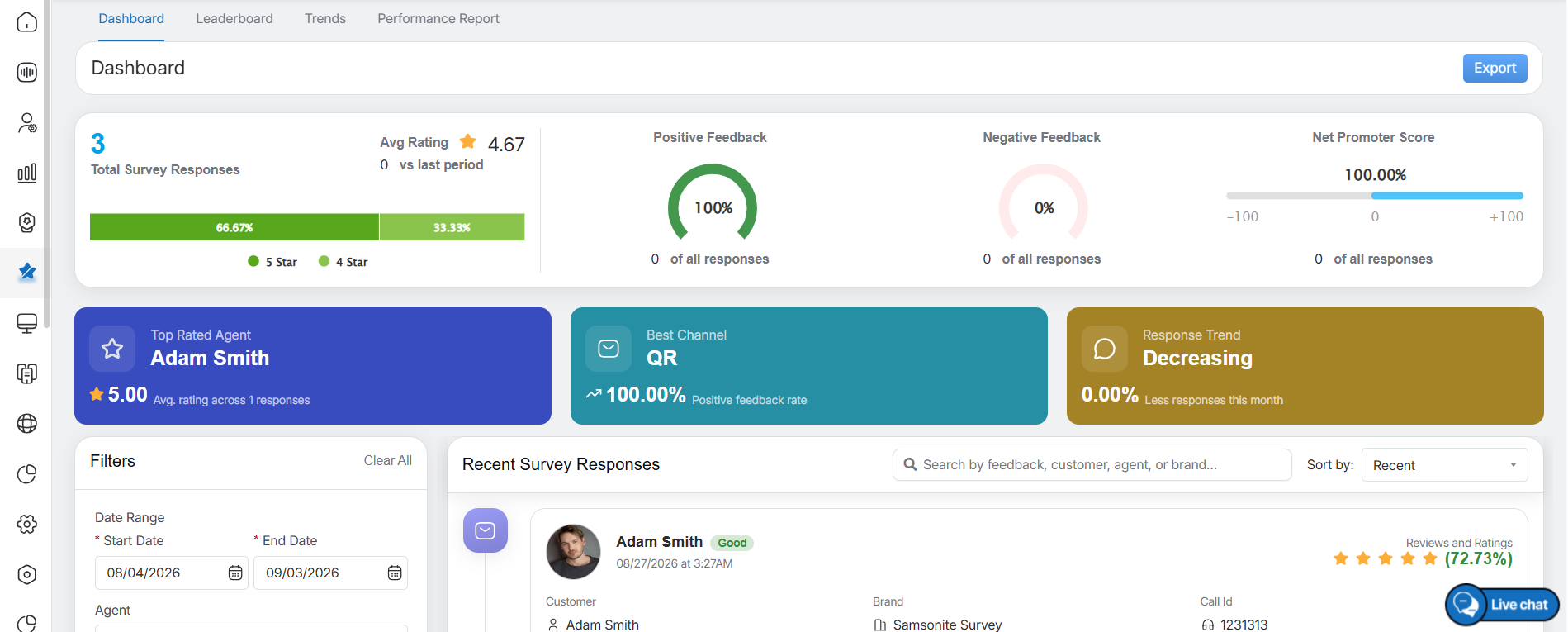
- Clicking a performer’s name on the Leaderboard opens a dedicated dashboard with detailed performance insights, Quick Cards, NPS metrics, and positive and negative feedback trends.
-
The dashboard also displays recent survey responses, helping agents analyze trends, track performance, and gain deeper insights into customer feedback.
Video