Table of Contents
How to Access ATA Level Reports
The ATA Level Report is categorized to display defects or defect-free data of an evaluator when compared with ATA.
To access these reports, select Reports > Report > Trending/ATA Level Report.
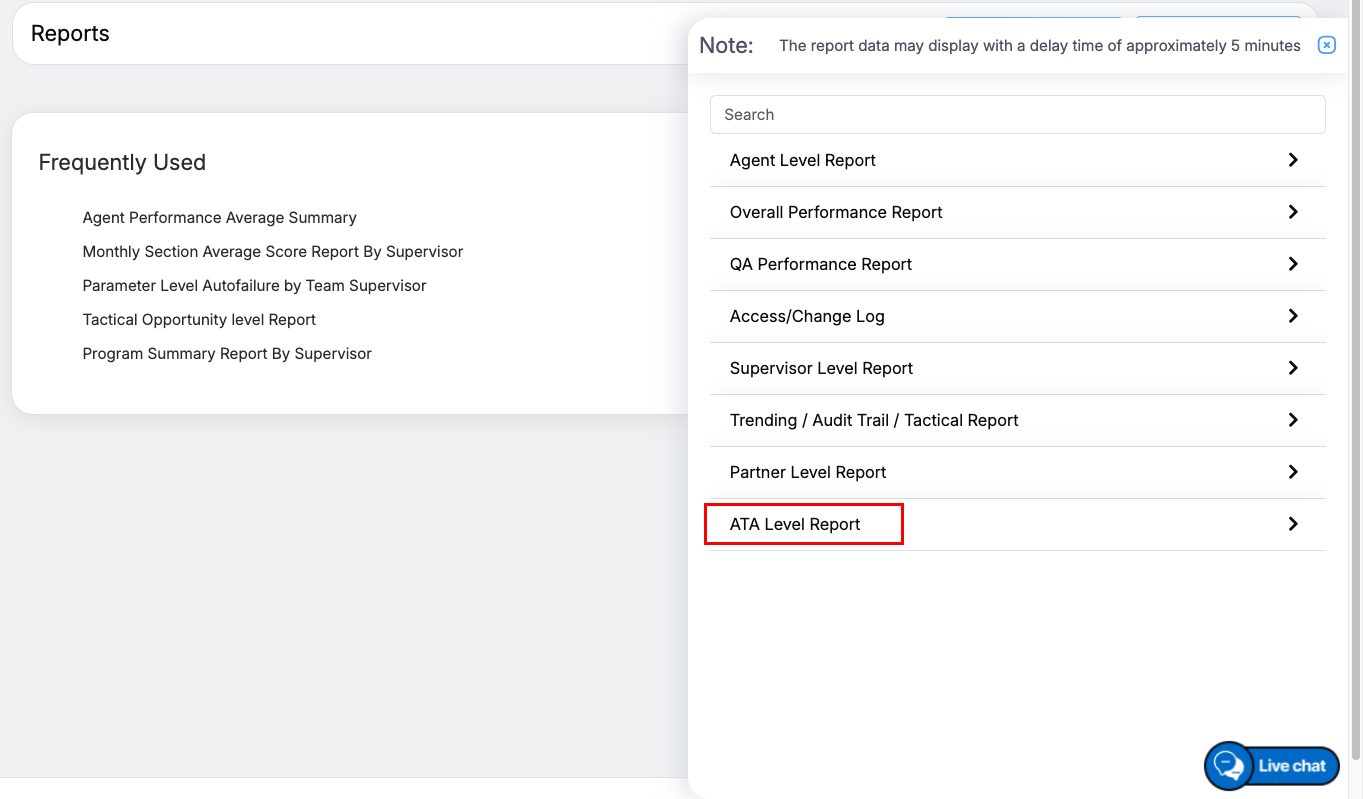
ATA Level Report
Then, the system will display the list of reports under the ATA Level Report category as shown below:
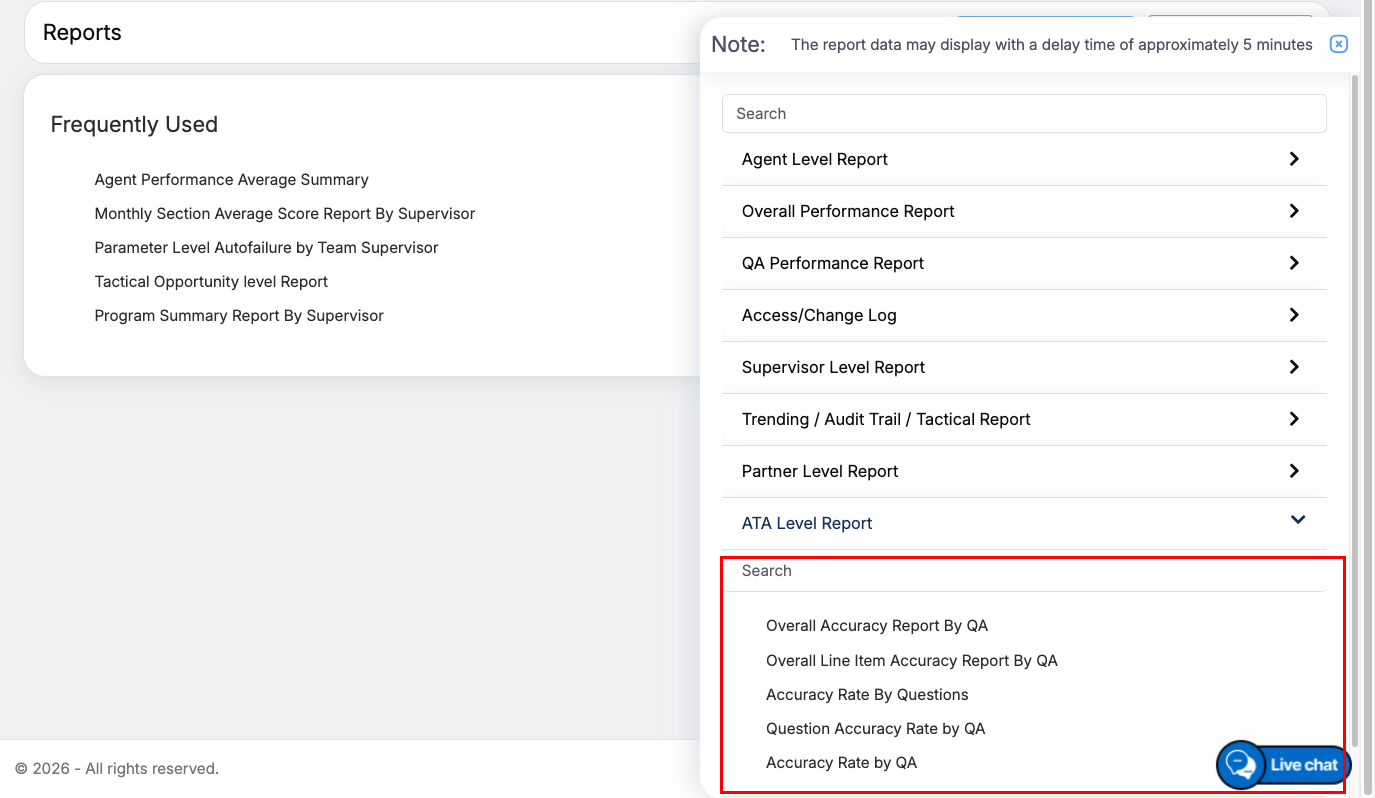
ATA Level Report Dropdown
View ATA Level Reports
Following ATA Level Reports will be displayed:
- Overall Accuracy Report by QA
- Overall Line Item Accuracy Report By QA
- Accuracy Rate by Questions
- Question Accuracy Rate by QA
- Accuracy Rate by QA
One can even search for the required report by entering the keywords in the Search field:
Let’s understand each ATA Level Report.
Video