Table of Contents
Introduction
Work Allocation allows users to assign multiple evaluations to a specific group of agents and then assign those evaluations to one or more QAs for verification. Work allocations can be created to organize and manage evaluation tasks efficiently and ensure that evaluations are reviewed by the assigned QAs periodically.
To create a Work Allocation, a Work Allocation Group must be created first. Once the group is available, users can create and publish an allocation based on the required load type. The evaluations are then assigned to the selected group of QAs according to the allocation schedule, allowing evaluations to be distributed and verified periodically.
On the Manage Work Allocation page, users can manage existing work allocations by creating new allocations, editing or deleting existing allocations, and searching for a specific work allocation. These options help users maintain and manage work allocations efficiently.
Manage Work Allocation
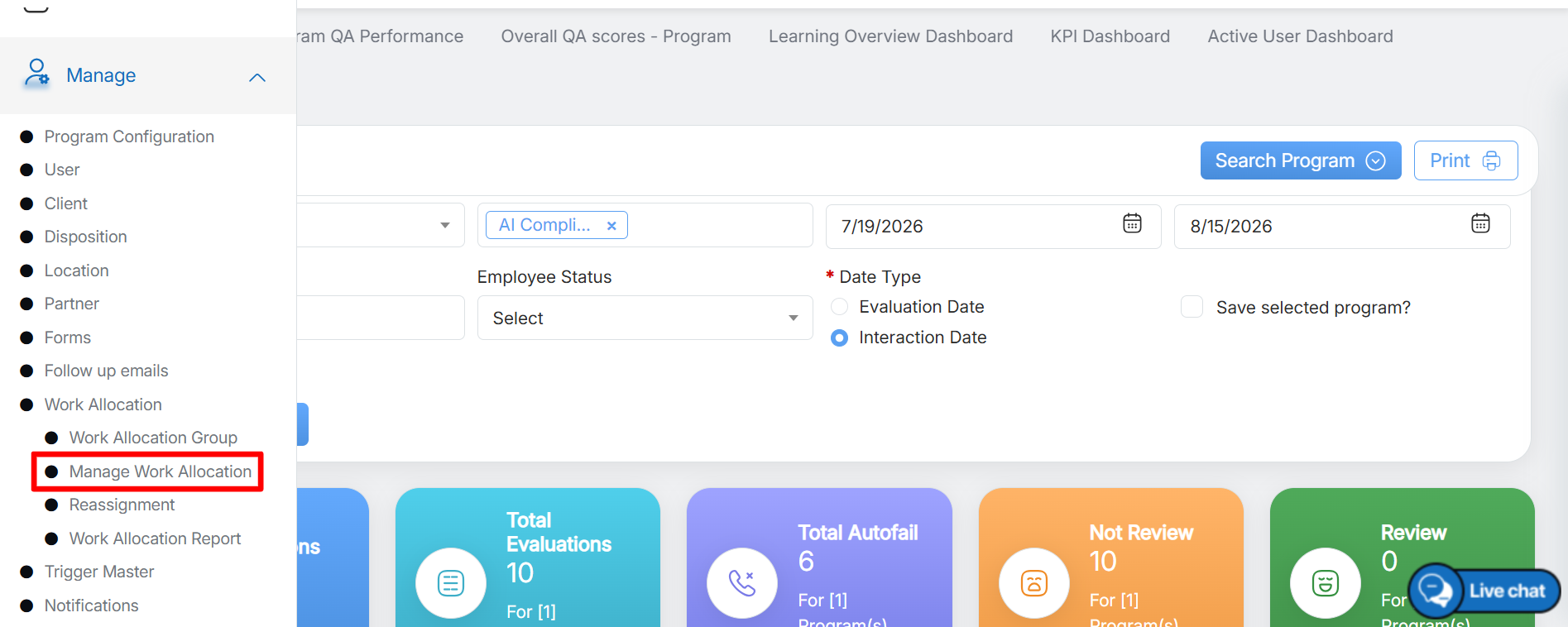
To access this functionality, select Manage > Work Allocation > Manage Work Allocation from the left panel as shown below:
The Work Allocation page is displayed as shown below. This page displays a list of all existing work allocations.
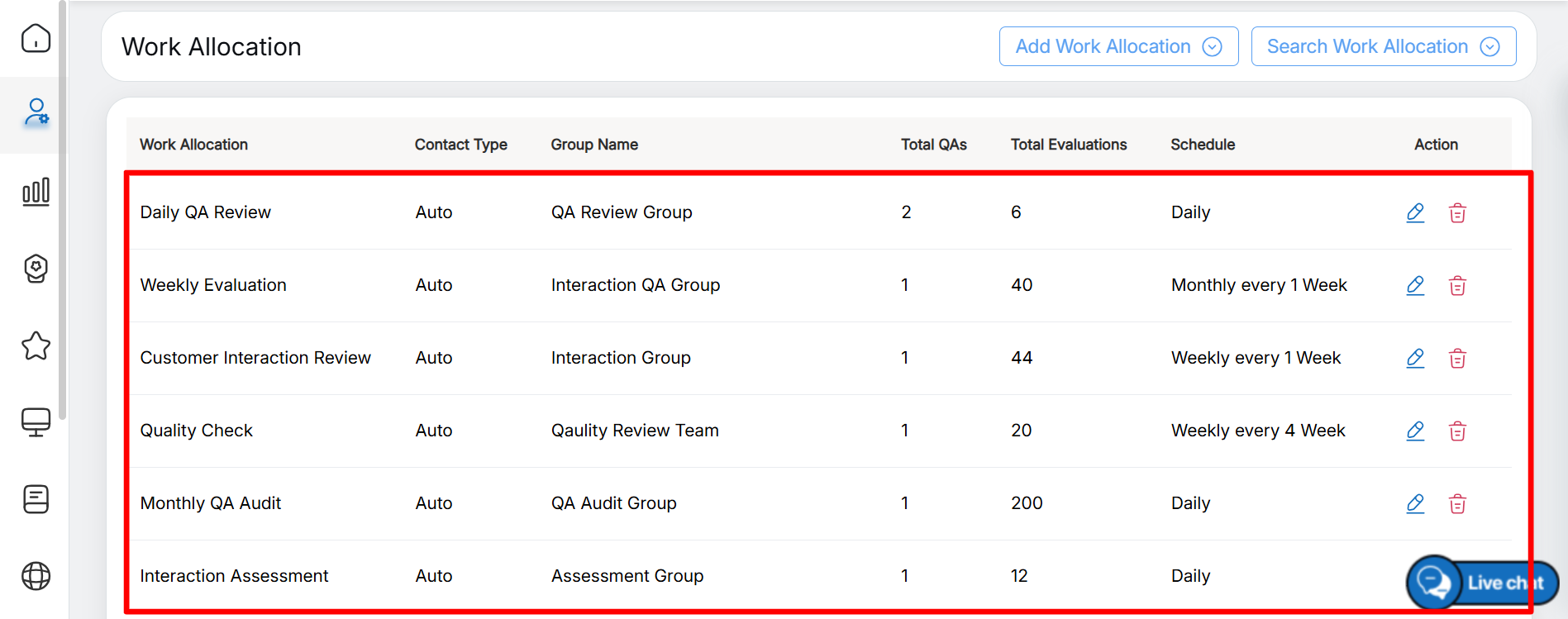
The following information is displayed in the Work Allocation list:
- Work Allocation – Displays the name of the work allocation created for the specific workload.
- Content Type – Displays the type of content included in the work allocation.
- Group Name – Displays the name of the work allocation group assigned to the specific allocation.
- Total QAs – Displays the total number of QAs assigned to the work allocation.
- Total Evaluation – Displays the total number of evaluations assigned to the QAs.
- Schedule – Displays the frequency at which evaluation data is fetched and assigned to the QAs, such as Daily, Weekly, or Monthly.
- Action – Displays the Edit and Delete icons. For more information about these actions, refer to Edit/Delete Work Allocation.
Video