Table of Contents
- Accessing Template Library
- Select Industry
- View Templates
- Preview or Apply a Template
- Customize Form
- Template Benefits
QEval enables administrators to create, customize, and manage evaluation forms used by QA teams to assess agent performance during customer interactions. From the Design Form page, users can create, edit, delete, activate, deactivate, schedule, preview, or view the design details of any form.
On this page, users can select a client, choose a program, and manage all evaluation forms associated with that program. Additionally, administrators can quickly build forms using predefined templates through the Create Evaluation Form from Template option.
1. Accessing Template Library
To access the Create Evaluation Form from Template feature, navigate to:
Manage → Forms → Create Evaluation Form from Template
On the Design Form page, click Create Evaluation Form from Template. The Template Library opens, allowing you to create evaluation forms using predefined, industry-specific templates. This feature provides a quick and efficient way to build evaluation forms while maintaining industry-standard evaluation structures.
The Create Evaluation Form from Template button is located in the top-right corner of the Design Form page, as shown below.
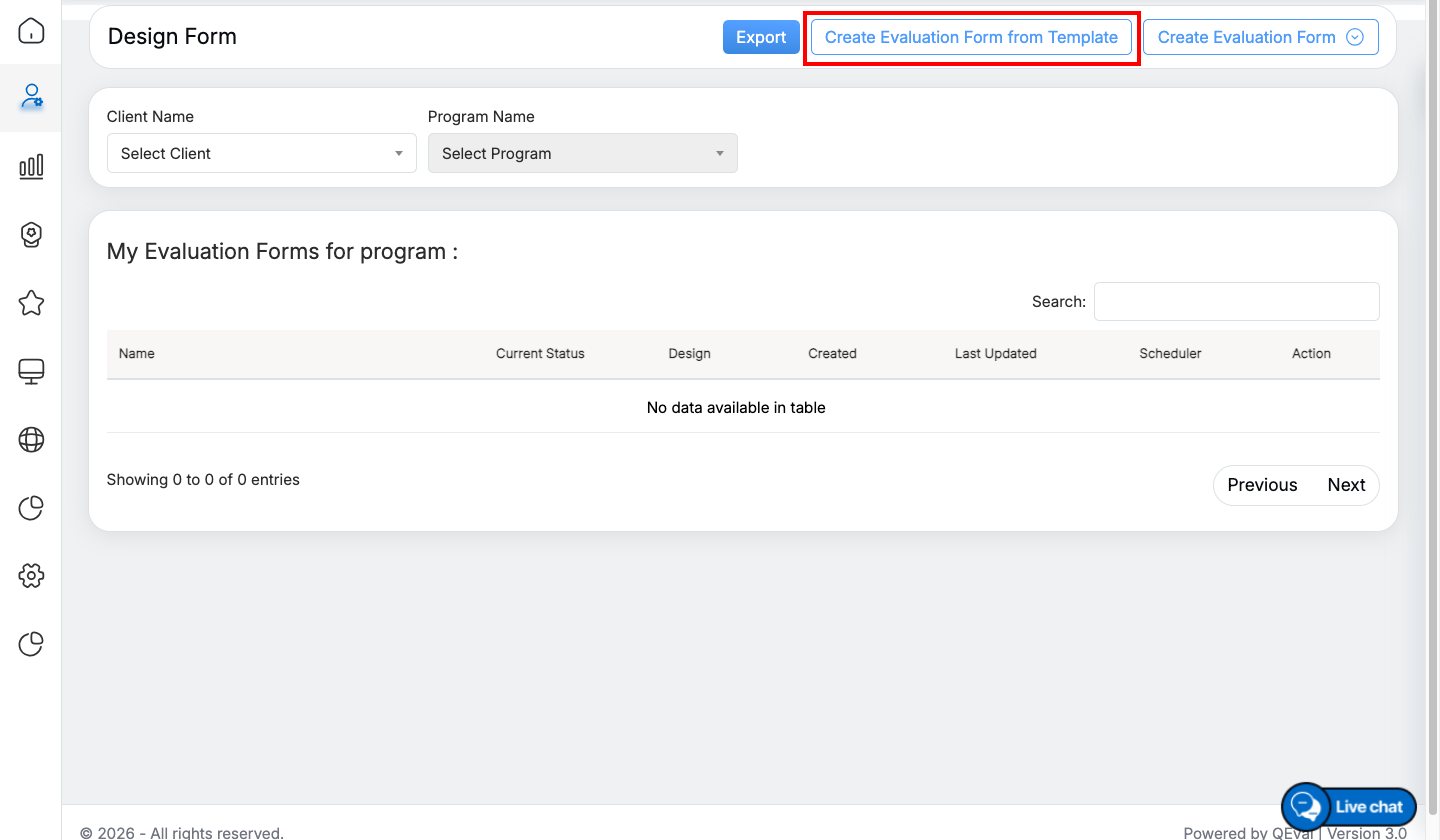
Create Evaluation Form from Template button
2. Select an Industry
You will see a dropdown labeled Select Industry.
- Choose the industry that matches your program (e.g., E-commerce, Communication Services, Automobiles etc.).
- Based on your selection, QEval automatically displays all predefined templates available under that industry.
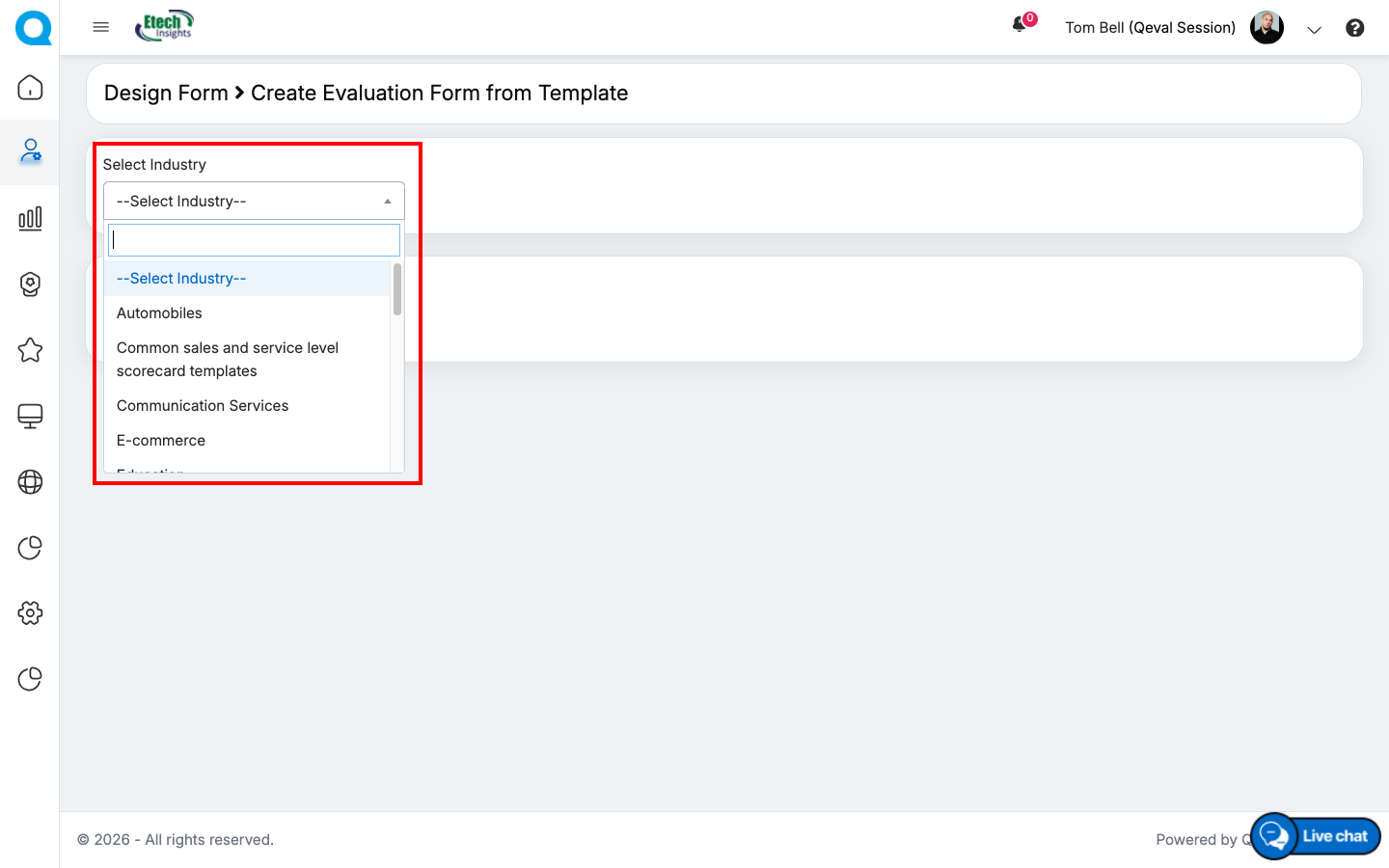
Select an Industry
3. View Template List
Once an industry is selected, a table appears showing:
- Template Name
- Form Type
- Description
- Action – Preview | Apply
These templates are created to match common QA evaluation structures for each industry.
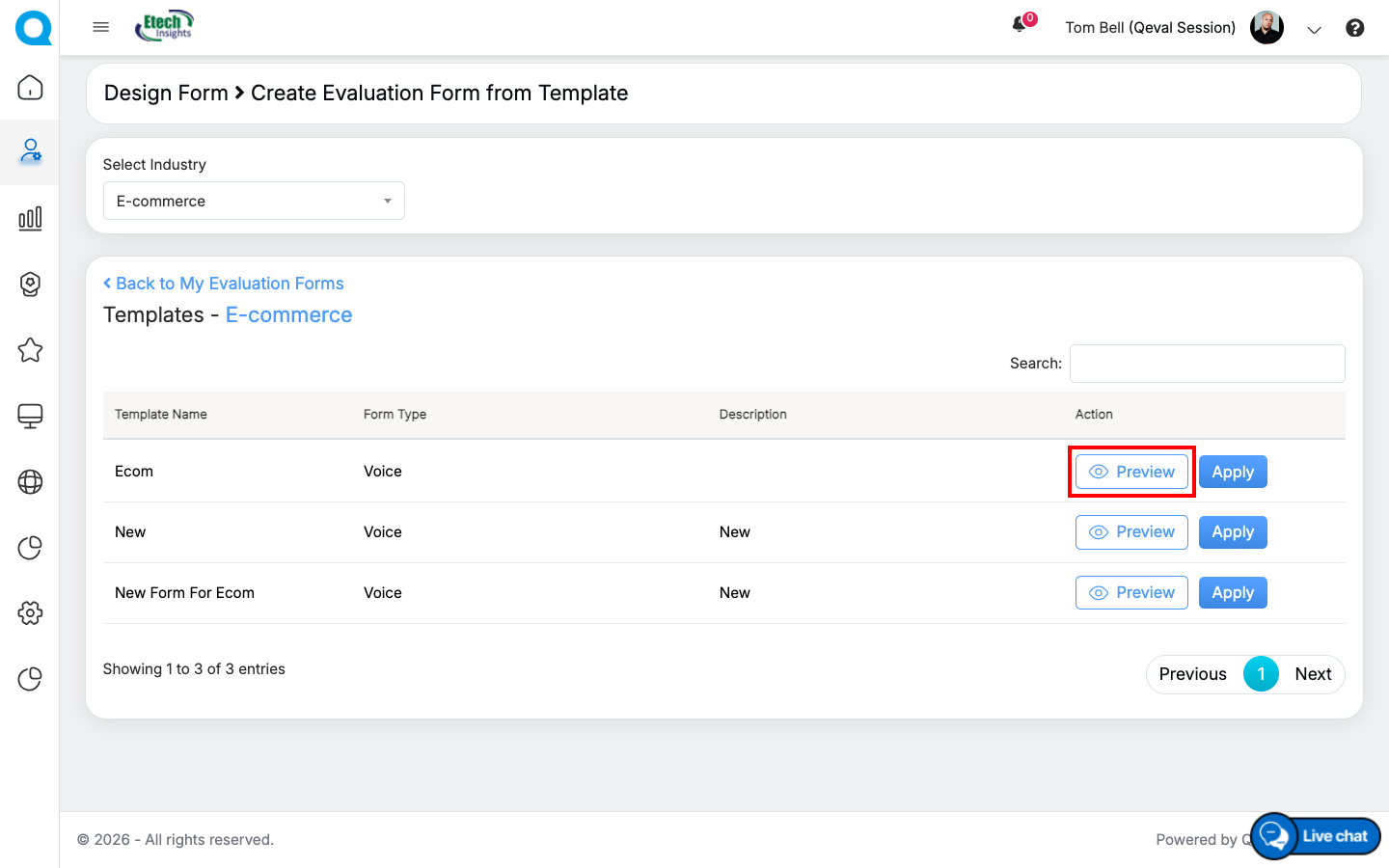
Preview Option
4. Preview or Apply a Template
Preview
Click Preview to see the full layout of the evaluation form.
This allows you to understand the scoring sections, weights, and question types before applying it.
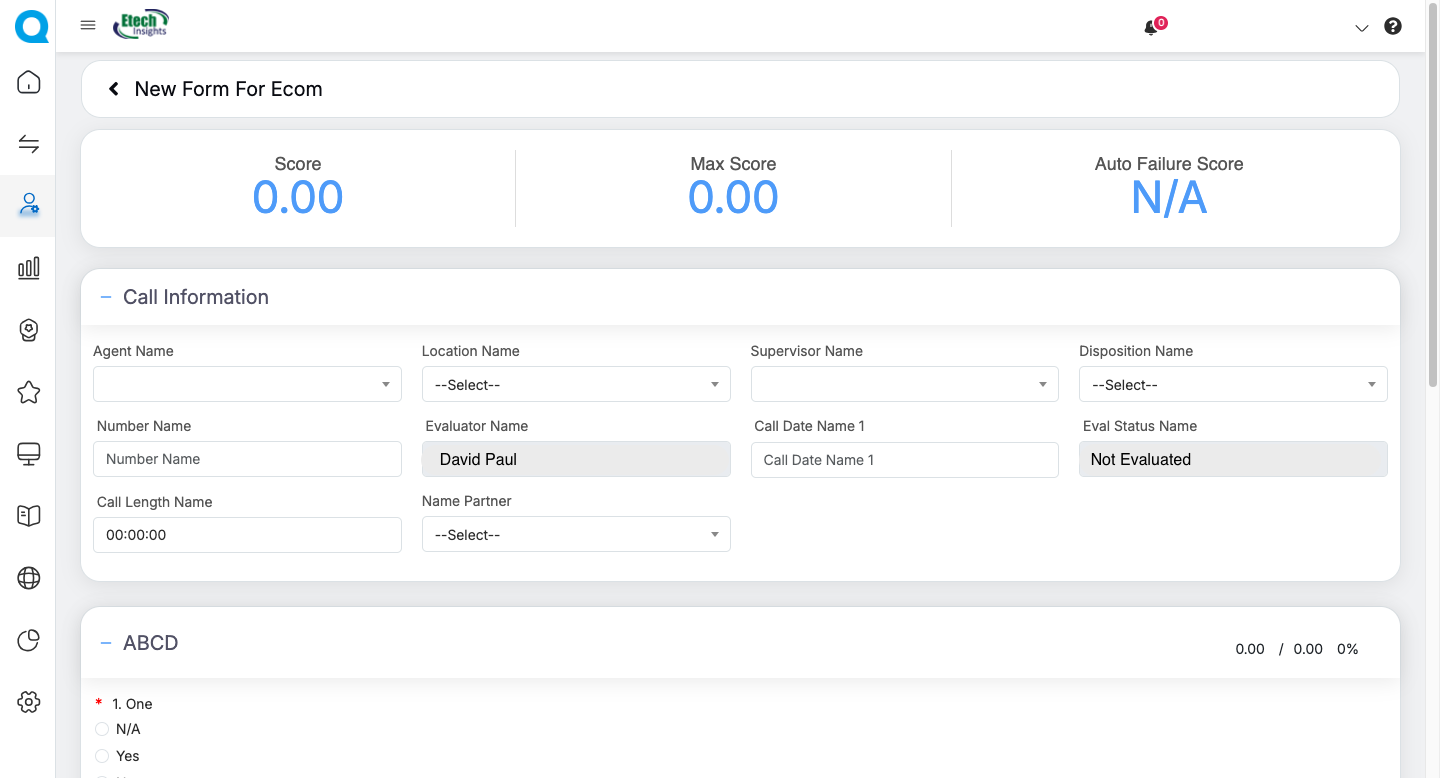
Apply button
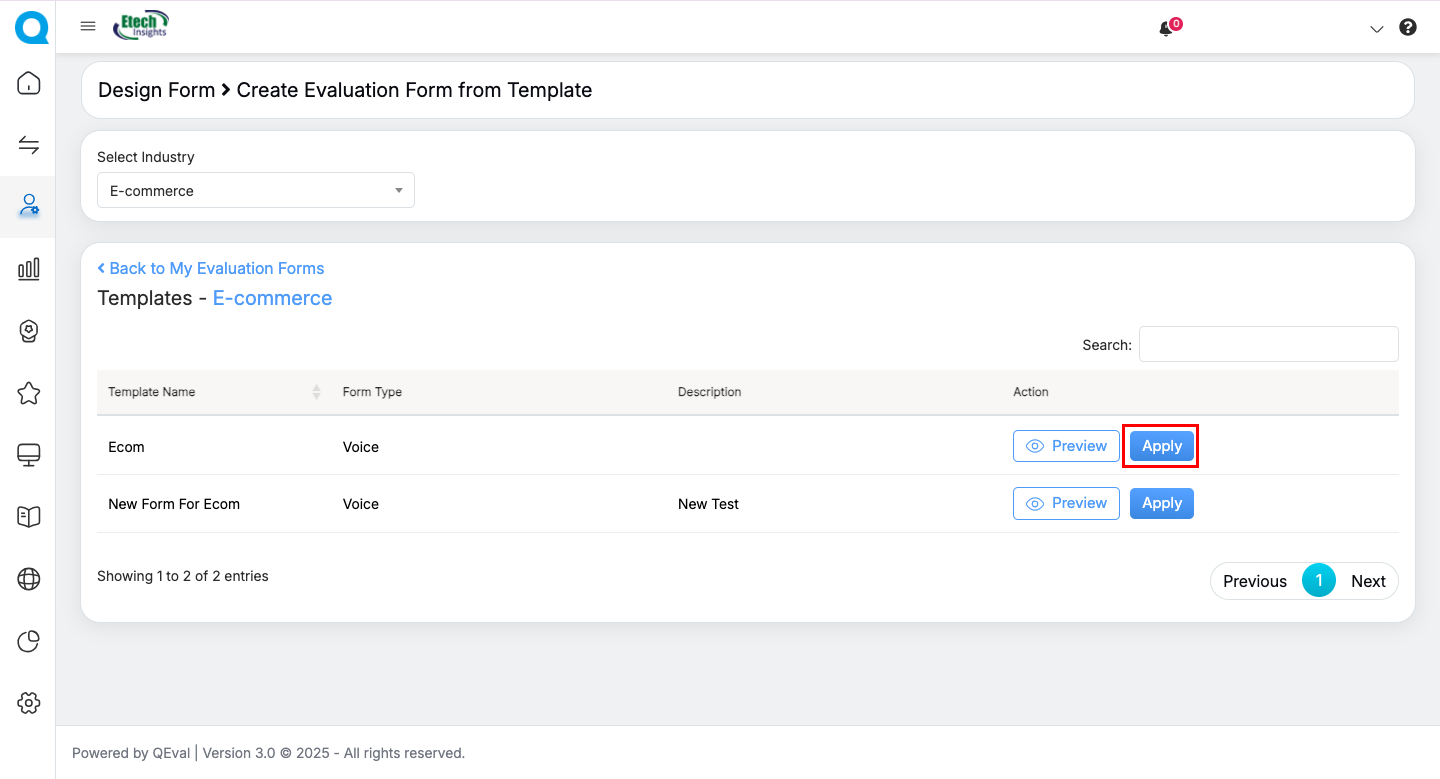
If the template suits your requirement, click Apply.
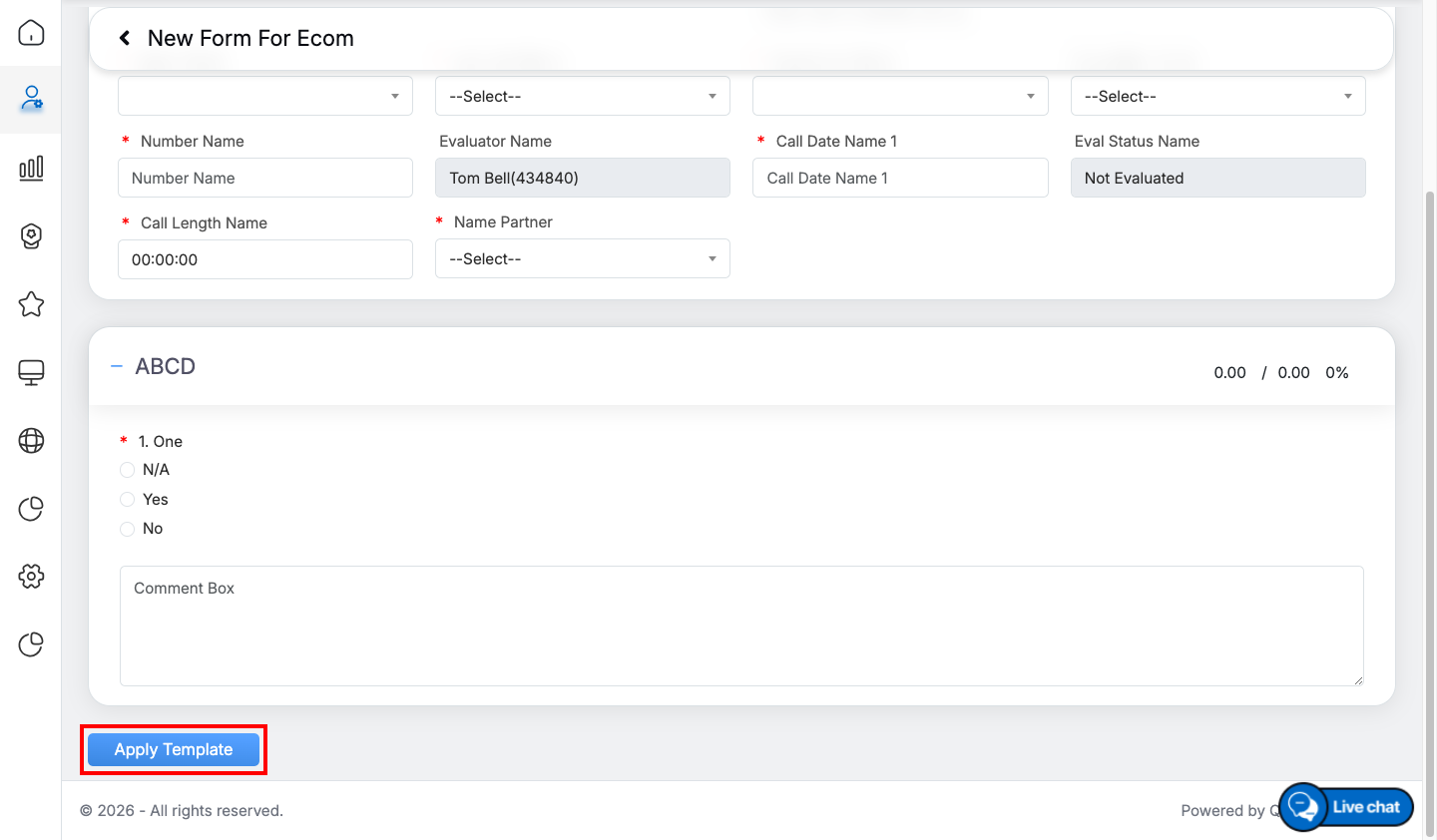
Apply Template
After you click Apply, a popup will appear where you can simply select the Client and Program, then click Create Evaluation Form.
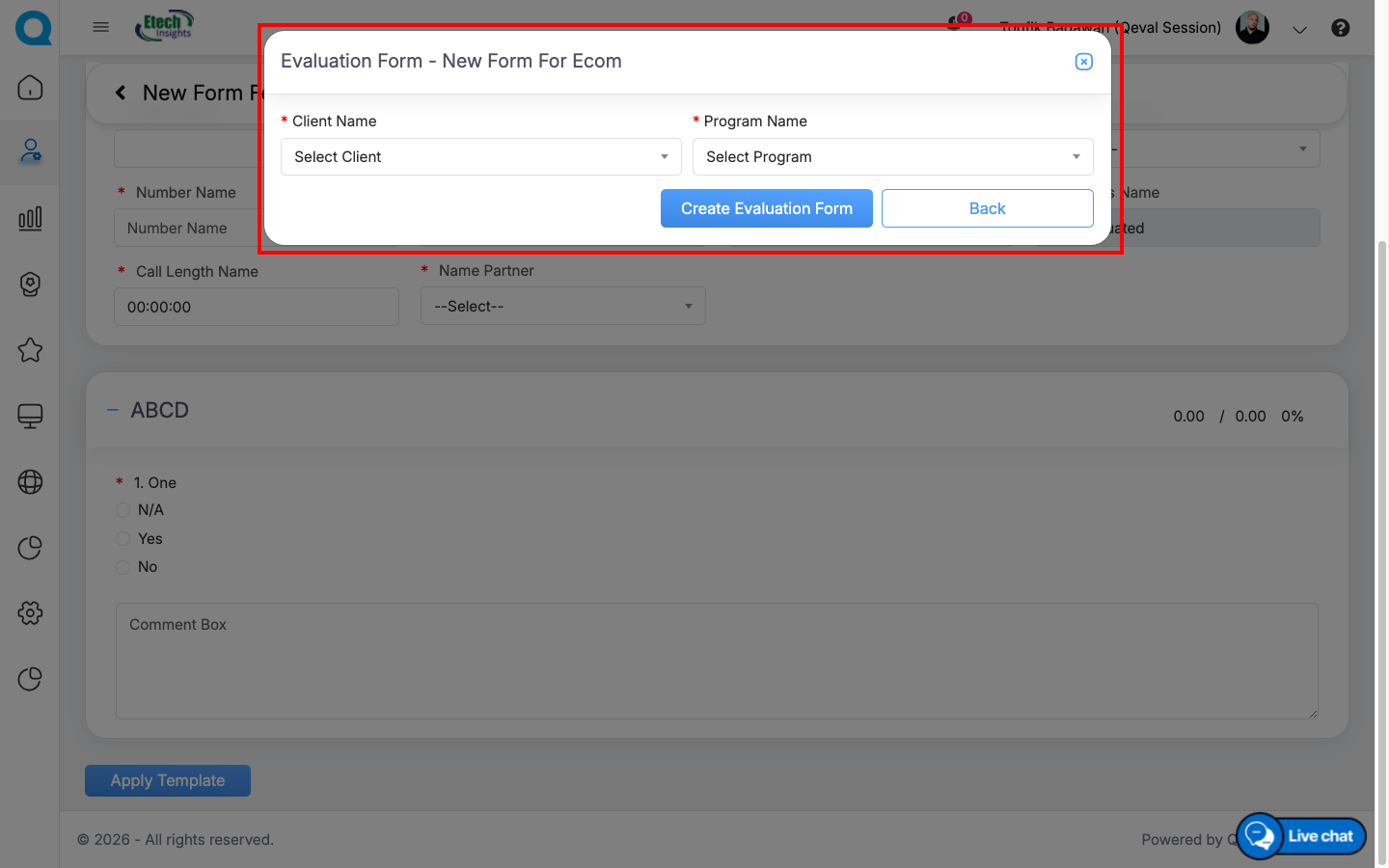
Select the Client and Program
QEval will instantly generate a new form based on your chosen template, tailored to that specific client and program.
Customize Form
You’ll then be taken to the Form Design page, where you can easily make any changes—edit sections, update questions, adjust scoring, or rename the form.
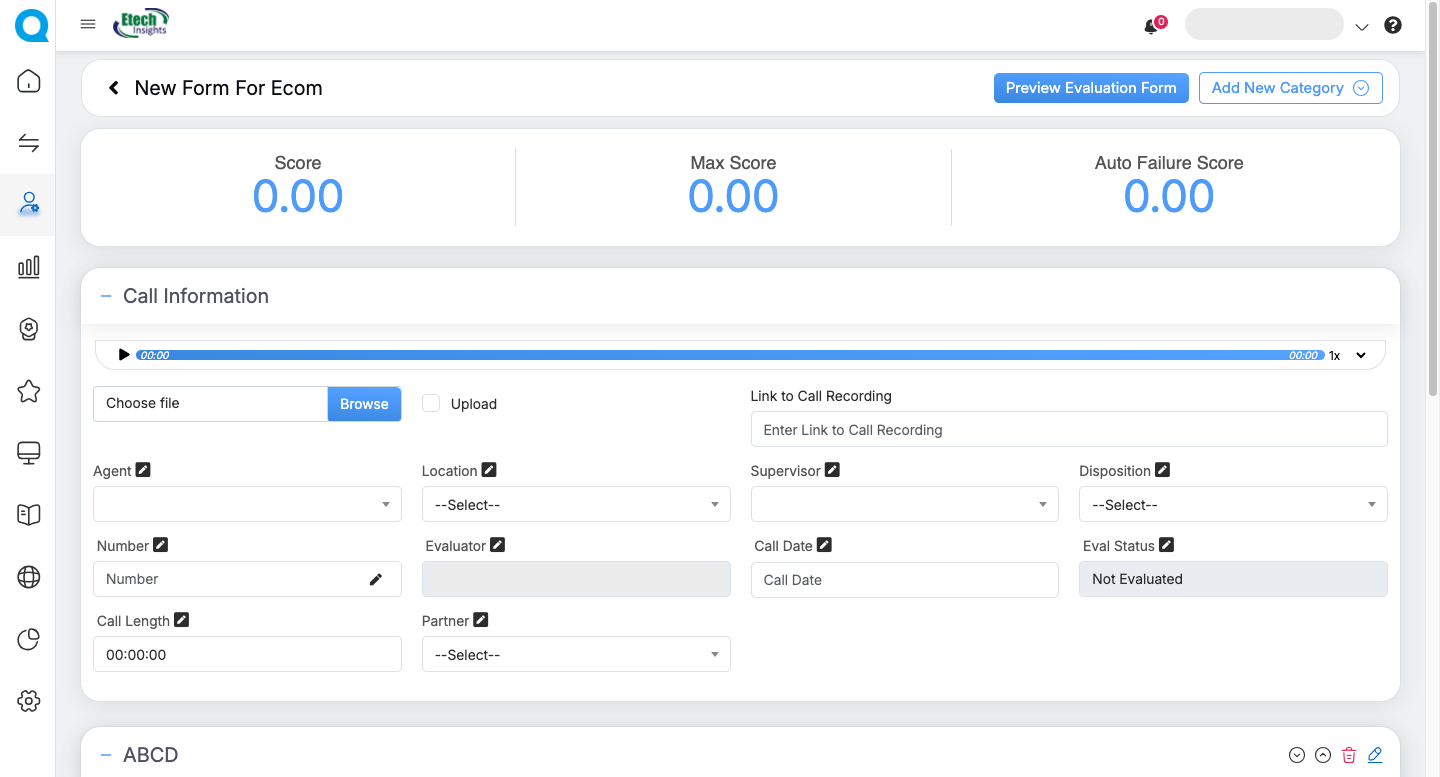
Once saved, your form is ready to use and can be updated whenever you need.
Benefits of Using Templates
- Faster Form Creation: Easily choose from a range of ready-made, industry-specific templates to generate a fully structured evaluation form—minimizing setup time and enabling immediate customization or use.
- Industry-Aligned: Templates are built to match the evaluation standards commonly used in each sector.
- Improved Efficiency: Reduces setup time, especially when managing multiple clients or programs.
Video