Table of Contents
Introduction
An agent can view the Training section only when the Admin has granted View Training access. Admins can also assign this access to Supervisors, allowing them to monitor the training status and progress of their assigned agents.
Provide Training View Rights
To provide Training View rights to an Agent or Supervisor, go to Manage > User. The Manage Users page is displayed, as shown below.
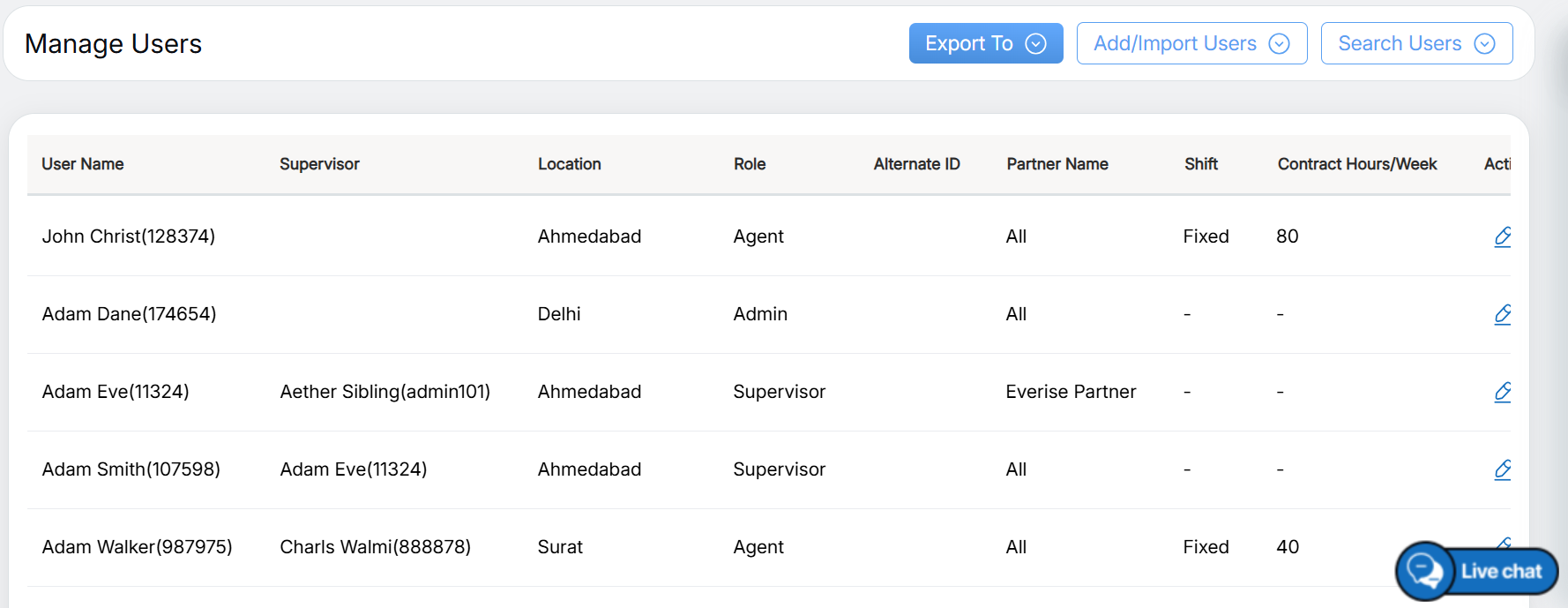
Manage Users Page
To provide rights to an existing Agent or Supervisor, search for the required user on the Search User page.
The selected Agent or Supervisor will appear in the grid on the Manage User page, as shown below.
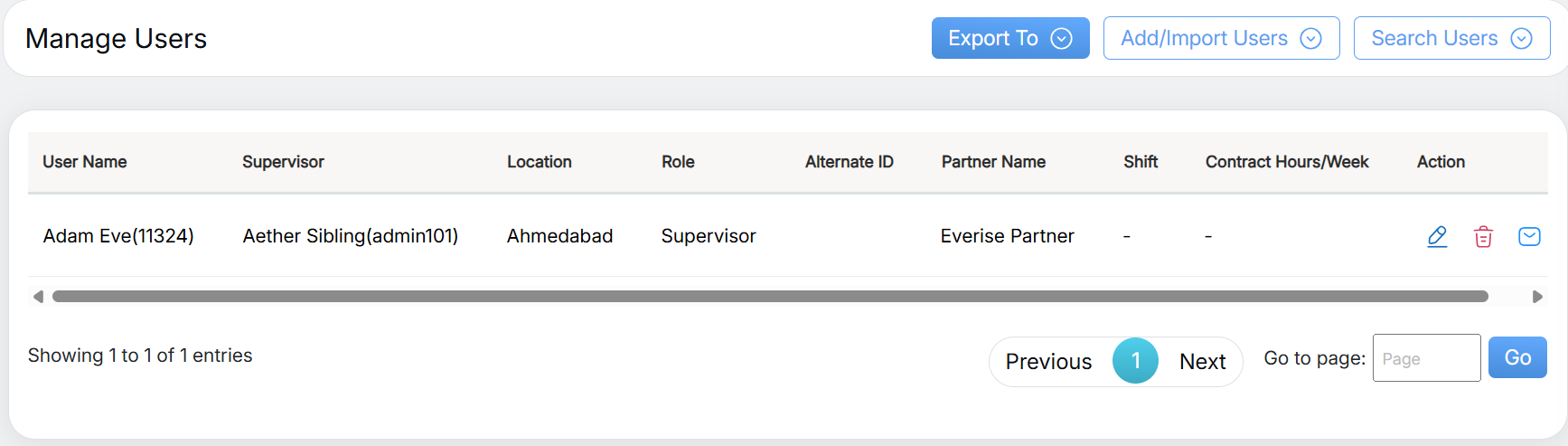
Search Results
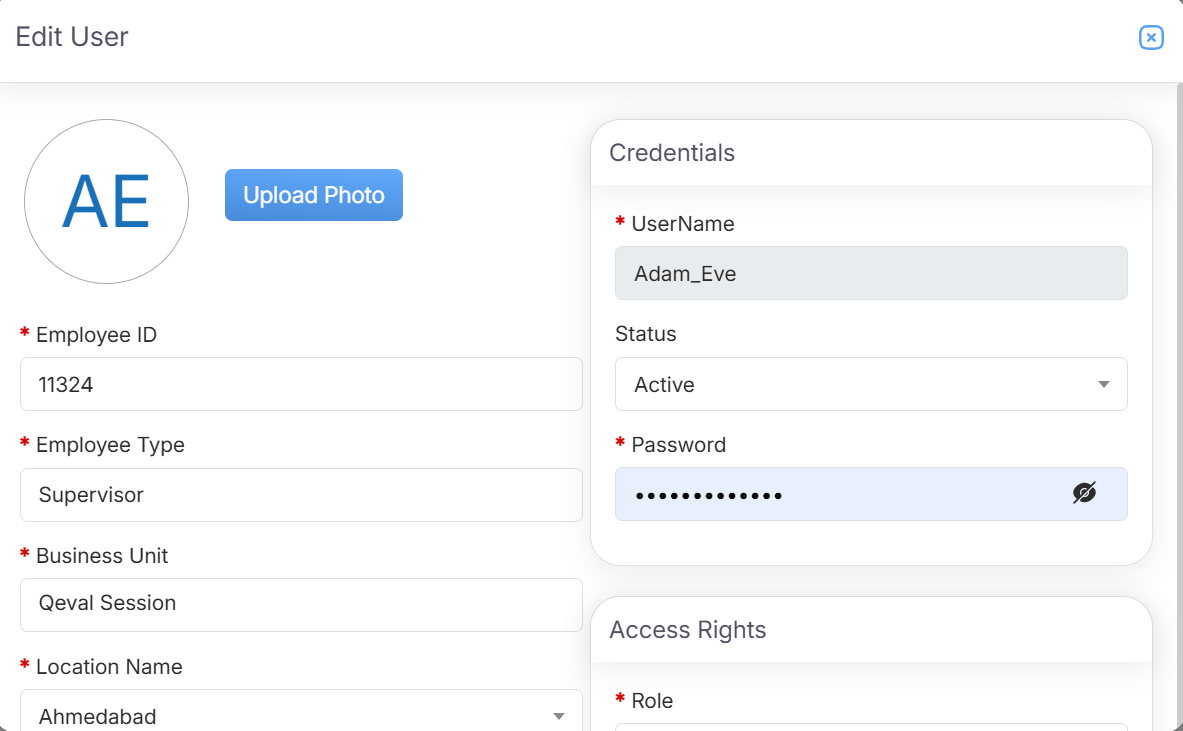
Edit User
In the Access Rights section, select the View Training checkbox as shown below.
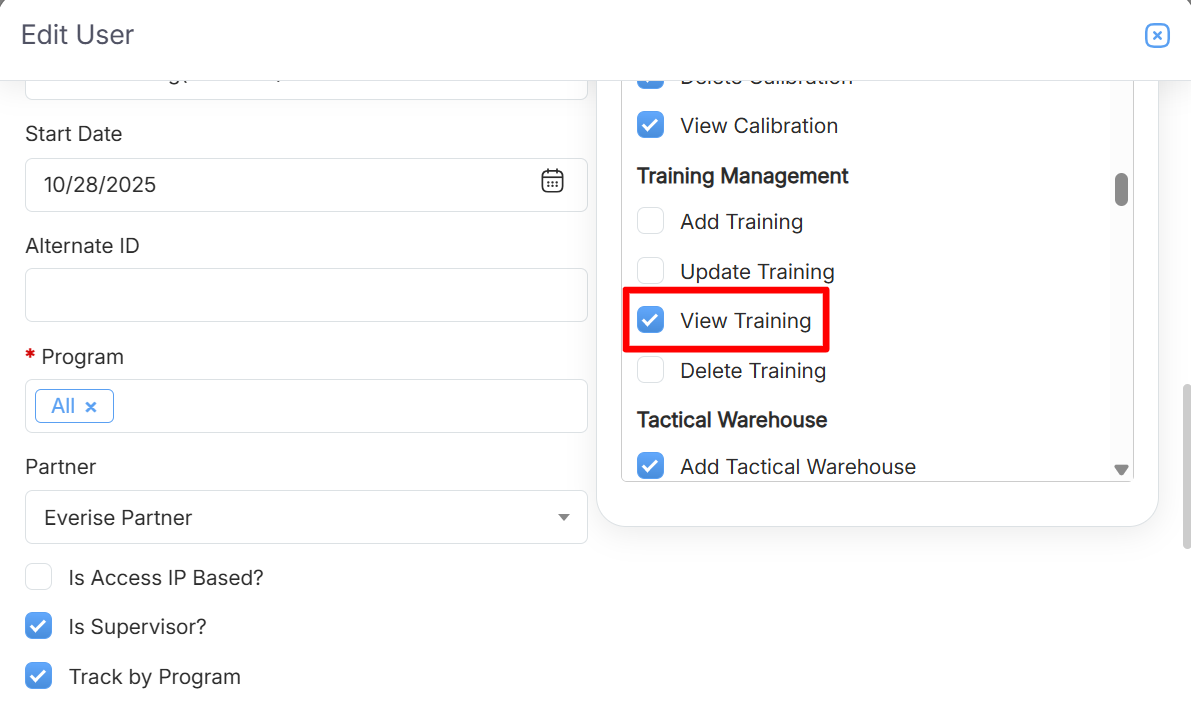
Access Rights: Training Management
Once the changes are made, click Update to save the access rights.
Note: An Admin can also grant Report access to a Supervisor, allowing them to view the training reports of their assigned Agents as required.
Video